
RotatoCAM is building simultaneous 5-axis strategies. Pro licenses pay for that work.
If you already know RotatoCAM, skip the pitch and go to the part that matters: 5-axis is in development on the same engine that already posts simultaneous 4-axis rotary, wrapped engraving, and 3-axis work. If you want those strategies to land as real, usable toolpaths instead of a slide-deck promise, buy Pro. That is the entire ask.
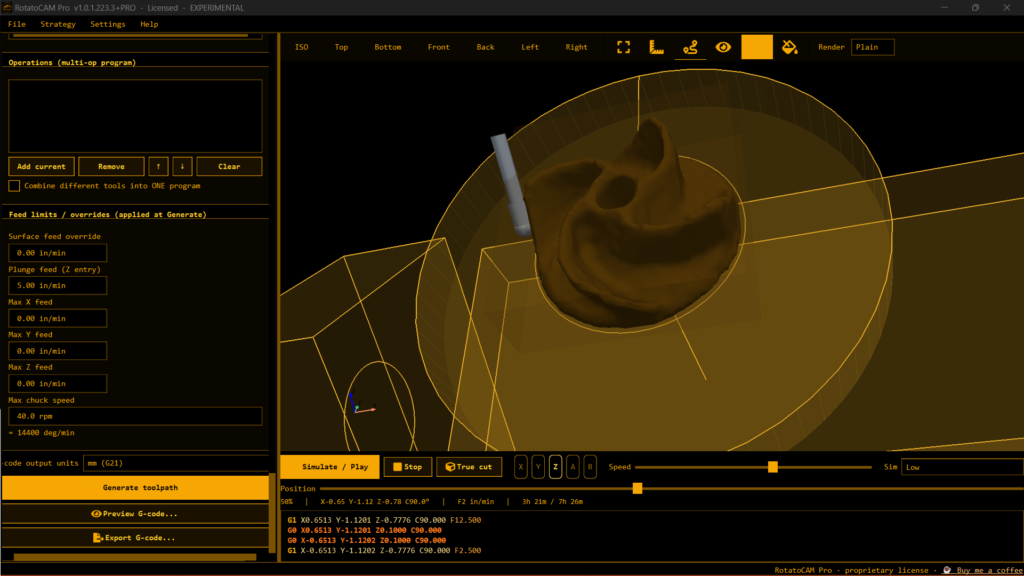
The rest of this post is what is actually shipping today, what “5-axis in the works” means in this shop, and why a $99 one-time Pro license is the lever — not a subscription, not a waitlist, not vapor.
What RotatoCAM is right now
RotatoCAM is a portable CAM / G-code generator for DIY CNC. Load an STL (or OBJ, PLY, 3MF, DXF, SVG). Pick a strategy. Get a program you can inspect, backplot, and simulate before iron ever moves.
It is built for the machines people actually own: grblHAL, LinuxCNC, Mach3/4, Centroid, plus experimental rotary posts for Genmitsu, AtomStack, HC-204A, MASSO, and others. Unzip and run. No installer. No expiry. Community Edition is free. Pro is $99, paid once per major version.
The core loop is the same on every job:
- Load a watertight, machineable solid with real workholding (chuck stock, tenons, something that still exists after the last cut).
- Pick the strategy.
- Generate.
- Read the G-code. Run the material-removal sim. Air-cut. Then cut.
Garbage in still means unexpected G-code. That is documented on purpose. This is experimental software that writes files for real machines. You verify. You keep a hand on the e-stop.
What already works on that engine:
- Simultaneous 4-axis rotary — part oriented on the configured rotary axis, radial roughing and spiral finishing in Community, more finish styles in Pro.
- Rough → finish on one tool as a single continuous program. No mid-file tool change to trust.
- Wrapped and flat engraving with a real V-bit profile.
- 3+1 indexed surfacing, adaptive roughing, pencil cleanup, conversational (no-CAD) tools, V-carve, laser/plasma 2D — Pro.
- Backplot, feed checks, material-removal simulation in both editions.
That is the platform 5-axis is being hung on. Not a rewrite. Not a new product name. Same core.
What “5-axis in the works” actually means
Four-axis rotary is one extra rotation. The stock spins. The tool stays roughly normal to a cylinder (or you index and treat faces as 3-axis). That is already hard on DIY kinematics, posts, and workholding — and RotatoCAM already does simultaneous motion there, not just A-index then mill.
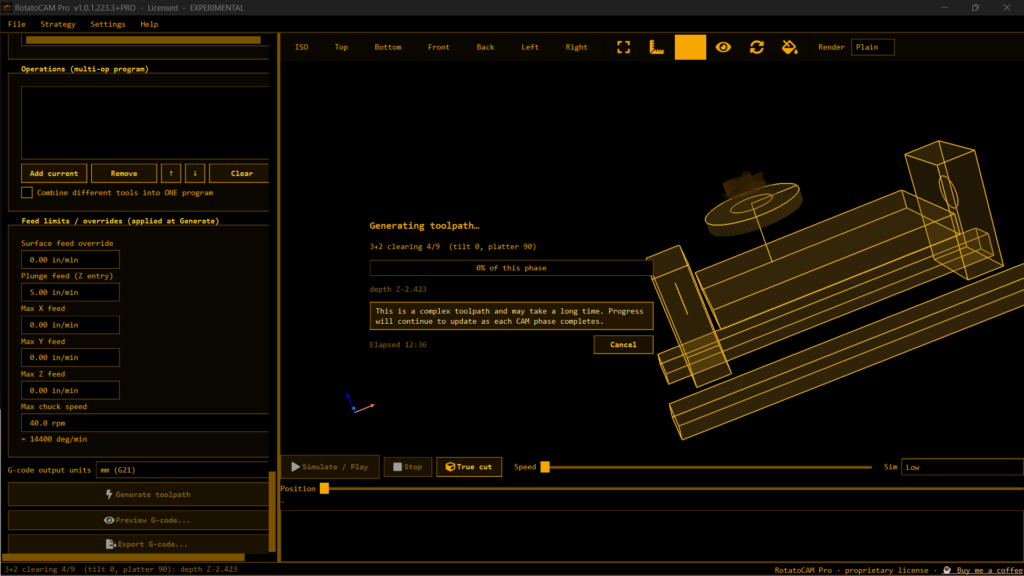
Five-axis adds a second rotary. Two common shop realities:
- Trunnion / table-table: part tilts on two rotary axes (A/C or B/C depending on the machine).
- Head-head or head-table: the spindle tilts, or one tilt lives on the head and one on the table.
The CAM problem is not “add two letters to the G-code.” The CAM problem is:
- Tool orientation relative to the surface (lead, lean, contact point).
- Collision of holder, shank, and machine envelope while the tool stays on the surface.
- Machine kinematics in the post (table-table vs head-table are not the same program).
- RTCP / TCP vs raw axis output — a lot of hobby 5-axis rigs do not have a clean TCP implementation.
- Stock and fixture that still make sense when the part is no longer a bar in a chuck.
- Adaptive / morph / swarf / flow-style finishing that does not just scribble air or gouge the opposite wall of an impeller passage.
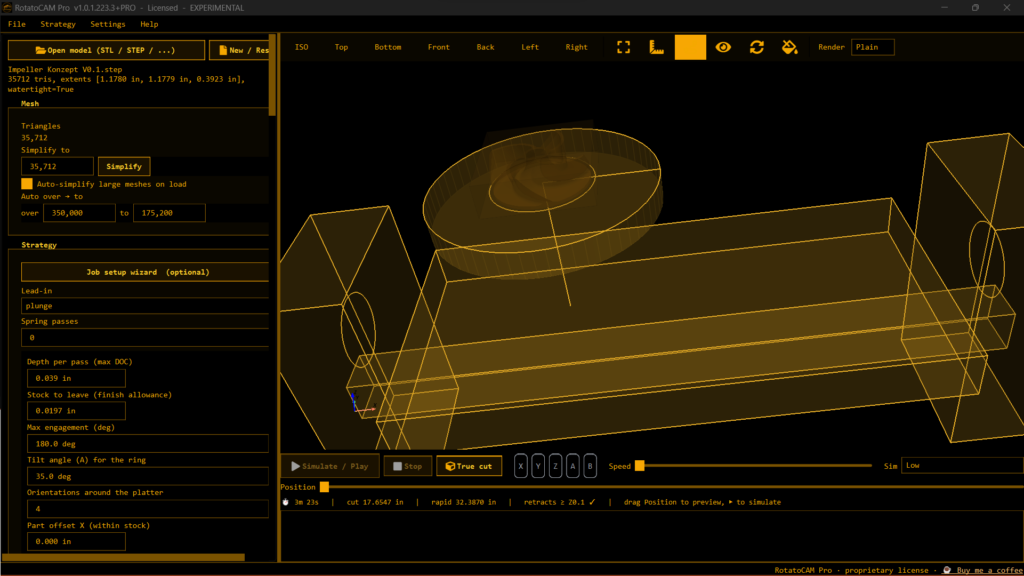
That is the work. Screenshots of early 5-axis path generation and machine-aware preview belong in this post when you drop them in WordPress. They will look like the current 4-axis sim: stock, tool, remaining material, G-code readout — except the tool is no longer locked to a single rotary.
What is not being promised:
- A date.
- A magic “import any STL, hit 5-axis, walk away” button.
- Full digital-twin collision of every homemade trunnion on earth on day one.
- That Community Edition will get the deep 5-axis toolbox for free. It will not. The free edition stays the useful 3- and 4-axis starter. Pro funds the expensive strategies.
Honest framing matches the rest of the product: experimental, machineable models only, verify everything.
Why Pro is the development budget
RotatoCAM is not Autodesk. There is no enterprise sales team. There is one core engine, two editions, and a $99 Pro license with no subscription.
Pro already unlocks the strategies that took the most engineering on 3- and 4-axis:
- Extra finishing styles (raster, axial / flow)
- 3+1 indexed surfacing
- Pencil cleanup
- Full conversational suite
- Adaptive roughing
- V-carve
- Laser / plasma 2D
- More rotary finish styles
5-axis is the next layer of that same list. Simultaneous multi-axis path generation, orientation control, and posts that do not lie about the machine are the expensive part. Buying Pro is not “unlock a checkbox.” It is paying for the person writing those strategies to keep writing them instead of parking the project at “good 4-axis rotary for DIY.”
If you want to see 5-axis in RotatoCAM — not in a $3,000/year seat — that is the mechanism.
- Site: rotatocam.com
- Pro: $99, once per major version — buy from the site / jmscnc.com account flow
- Community Edition: free download, unzip, run, cut 4-axis and 3-axis jobs today
You can run Community forever. You should, if that is all you need. If you want the deep toolbox and 5-axis to exist as more than a lab sketch, Pro is the vote that counts.
Who this is for
This is for people who already spin stock on a 4th axis and are staring at a 5th:
- Impellers, blisk-ish shapes, undercut handles, compound surfaces that 4-axis can only fake with a forest of indexes.
- Homemade or imported 5-axis tables on LinuxCNC / grblHAL / Mach / Centroid — the same controller family RotatoCAM already posts.
- Shops that will not rent Fusion or Mastercam for one weekend impeller.
This is not for:
- “I dropped a random Thingiverse mesh with holes and no stock.” That already fails on 4-axis. It will fail louder on 5.
- Anyone who will not air-cut and read G-code.
- Anyone who thinks CAM should hide kinematics.
If that second list is you, stay on Community and cut the jobs that already work.
How to help without buying (and how to help by buying)
If you buy Pro: you get the current Pro strategies immediately, and you fund 5-axis work on the same engine. Log into the jmscnc.com account for the Pro build. Community ZIP is not the Pro update.
If you already have Pro: keep sending machineable models, controller notes, and “this post lied on my kinematics” reports. That is how 4-axis posts got honest.
If you only run Community: keep cutting. File bugs with models that are actually machineable. Share air-cut videos. The free edition is the funnel; it is also real software.
Screenshots: drop your 5-axis WIP shots in the gallery block below this paragraph — tool tilted on a trunnion, remaining stock, path color, G-code line. Same visual language as the current 4-axis Pikachu / pawn / column sims on the site. No glossy render farm. Shop-floor preview.
The line
Spin the stock. Read the signal. Then tilt it.
4-axis simultaneous rotary is shipping. 5-axis strategies are being built on that same compiler. Pro is $99, no subscription, and it is how this gets finished.
Download Community. Cut something. If the next axis matters to you, buy Pro.
rotatocam.com