
You bought a rotary axis because you wanted to make more interesting parts. Then you went shopping for CAM and discovered that getting the stock to spin can involve another software tier, another module, or another annual bill.
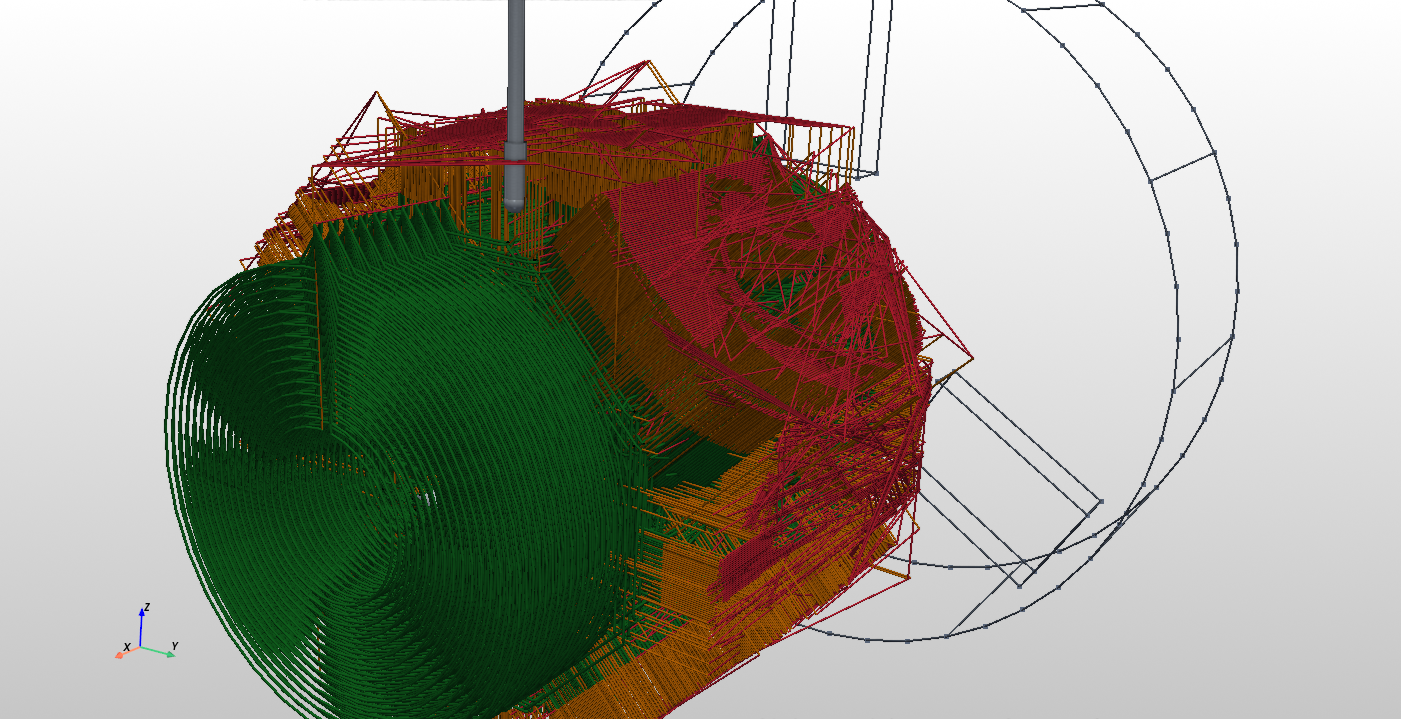
That is the problem RotatoCAM is built around: a direct, local workflow for rotary work on DIY CNC machines. RotatoCAM Pro is listed at US$99, with no subscription, paid once per major version. No cloud CAM workflow. Load the part, define the setup, choose the tool and strategy, and generate and inspect the posted G-code.
Disclosure: RotatoCAM is our product. This comparison covers pricing, licensing, and rotary workflows. Industrial packages include broader capabilities, support, and machine integration, so choose the scope that fits your shop.
First, make sure “4-axis” means the operation you need
Indexed machining rotates the part between cuts. Wrapped machining maps a flat toolpath around a cylinder. Simultaneous rotary machining coordinates rotary motion with linear motion during the cut. Wrapped paths can also rotate continuously, so “the axis keeps moving” does not by itself prove that a package supports every simultaneous four-axis strategy.
Compare the actual toolpath, supported geometry, machine configuration, and post—not just the number of axes in the brochure. A package that handles wrapped lettering may be exactly right for one job and unsuitable for another.
A few prices you can actually check
The figures below were reviewed on October 28, 2026. USD and EUR are kept separate. Taxes, regional offers, training, posts, and optional modules can change the total.
| Product | Published price | Scope to check |
|---|---|---|
| Fusion for Manufacturing | US$2,040/year | Includes advanced simultaneous 4- and 5-axis milling |
| BobCAD-CAM Ultimate | US$1,200/year | Store lists 3+1 indexing and rotary wrapping; confirm the simultaneous strategies you need |
| SprutCAM X | From US$249/month | Starting price; verify the machine package and license terms |
| DeskProto Multi-Axis | €248 hobby / €995 commercial | Perpetual; hobby eligibility restrictions apply |
| RotatoCAM Pro | US$99 per major version | Experimental desktop software; no subscription |
1. Autodesk Fusion: the correct comparison is $2,040 a year
Autodesk lists standard Fusion at US$680/year and Fusion for Manufacturing at US$2,040/year. Its manufacturing comparison places simultaneous four- and five-axis milling in the advanced offering. That is US$170 per month equivalent when paid annually.
The personal-use documentation excludes advanced multi-axis milling. Standard paid Fusion and the free personal tier should not be confused with the Manufacturing bundle. At an unchanged US$2,040 annual rate, five years totals US$10,200 before tax. That is a calculation, not a promise about future pricing. See Autodesk’s plans.
2. Mastercam: get a quote for the actual configuration
Mastercam offers both subscription and perpetual licensing. A quote for Mill 3D plus Multiaxis can include a much broader production toolset than a small rotary job needs. Pricing depends on the configuration and license term. Ask which modules, posts, maintenance, and training are included.
3. PowerMill: Autodesk directs buyers to sales
Autodesk’s PowerMill buying page directs buyers to its sales team for subscription pricing. It distinguishes Standard from Ultimate, with simultaneous five-axis among Ultimate’s additional capabilities. An annual renewal listing is not automatically the cost of a new seat. Get the correct edition and a current quote before comparing totals.
4. hyperMILL: price the complete installation
OPEN MIND provides a sales and reseller contact network for hyperMILL. Request the configuration for your machine and separate the software cost from posts, support, and implementation. If you are considering a used license, check its transfer terms and included modules separately.
5. SolidCAM: check the CAD host as well as the CAM modules
SolidCAM’s own FAQ identifies integrations with SOLIDWORKS, Autodesk Inventor, and Solid Edge, and directs customers to sales for a tailored quote. Confirm the host license and the rotary or simultaneous machining modules in your package. Do not assume that a reseller’s bundle price includes every prerequisite—or that maintenance is mandatory without checking the terms.
6. Siemens NX: distinguish CAM-only from CAD/CAM
Siemens’ NX X Manufacturing CAD/CAM Premium includes rotary machining and simultaneous five-axis milling. Package scope matters: a full CAD/CAM configuration is a different purchase from CAM-only access or an add-on. Use Siemens’ current configuration and regional pricing for your comparison.
7. ESPRIT: compare the machine-specific package
Hexagon’s ESPRIT EDGE covers three- through five-axis milling along with other production machining workflows. The vendor directs prospective customers to its experts. Ask for a quote that names your machine, required strategies, post, and simulation scope.
8. GibbsCAM: online rentals and configured packages
GibbsCAM’s official webshop offers software rentals and student licensing, and directs buyers to contact the company for products not listed there. Check the commercial package and modules you need rather than treating a student or limited rental offer as the price of a full production seat.
9. BobCAD-CAM: $1,200/year, but read the feature list
The official BobCAD-CAM store lists Ultimate at US$1,200 for one year. Its description specifically mentions 3+1 indexing and rotary wrapping. That is useful, but it should not be silently equated with every simultaneous surface-following strategy. At an unchanged annual rate, five years is US$6,000 before tax; confirm the required rotary capability before buying.
10. SprutCAM X: from $249/month, with other licensing routes
The official SprutCAM X shop advertises from US$249/month, with the online offer marked for the USA and Canada. Twelve months at that starting rate is US$2,988, but “from” does not establish the price of your multiaxis configuration.
SprutCAM also describes monthly, annual, and perpetual options; the shop advertises a route to a permanent license after three years of subscription. Include those options when comparing the long-term cost.
11. Vectric Aspire: wrapping is a specific workflow
Vectric sells Aspire on a perpetual basis. Its rotary documentation explains how wrapping replaces X or Y movement with angular movement around a cylinder. That can produce continuous rotary motion during a cut. Compare that wrapped-path approach with the geometry and independent axis control your part requires.
12. DeskProto: a real low-cost alternative
DeskProto deserves a fair mention. Its official price list shows €248 for Multi-Axis Hobby and €995 for a commercial Multi-Axis license, excluding VAT. Licenses are perpetual without an annual maintenance fee. Its Multi-Axis edition includes continuous rotary machining.
The hobby license has conditions: it is for eligible private users, permits hobby-business activity generating less than €3,000 in annual revenue, and has different support arrangements. If you qualify, it is a serious budget option. If you do not, compare the commercial license.
Where RotatoCAM fits
RotatoCAM focuses on the small-shop problem: taking a model into a local desktop workflow, setting up stock and tooling, choosing a rotary strategy, and inspecting the posted result. The existing product includes simultaneous rotary work and wrapped engraving; Pro adds the broader toolbox described on the store page. A free Community Edition is also part of the current offering.
RotatoCAM Pro: US$99. No subscription. Pay once per major version. No cloud CAM workflow. Your purchased major version has no recurring subscription bill; future major-version upgrades are separate. The current Pro listing is experimental. RotatoCAM 2.0 and complete simultaneous five-axis capability remain in development.
Choose software by the parts you actually need to make. Check the strategy and post with your own machine configuration, inspect the output, and prove out the setup. Price matters; getting the right program for the job matters too.
See RotatoCAM Pro and its current feature list · Read the STL-to-G-code workflow comparison
— Rev. J. Money