SIMIAN TACTICAL TOOLBOX · DIGITAL DOWNLOAD
Seven real regions. Tilt to fly. Bring a friend.
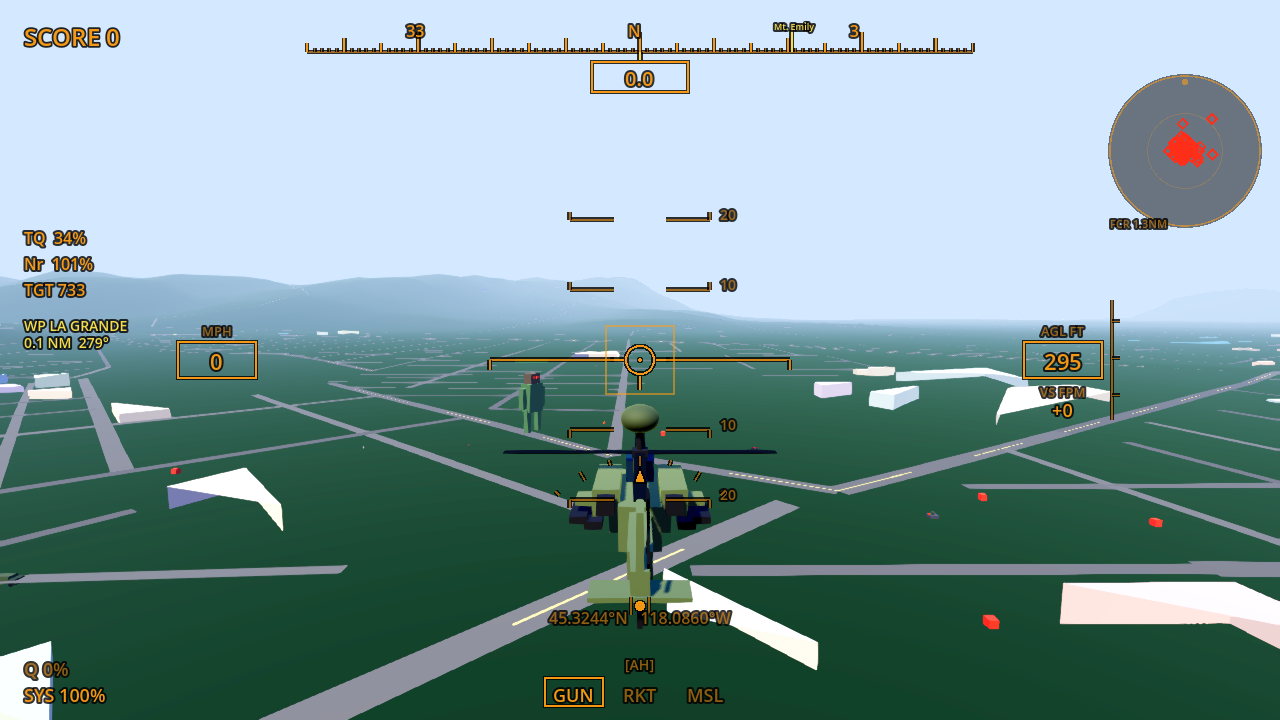
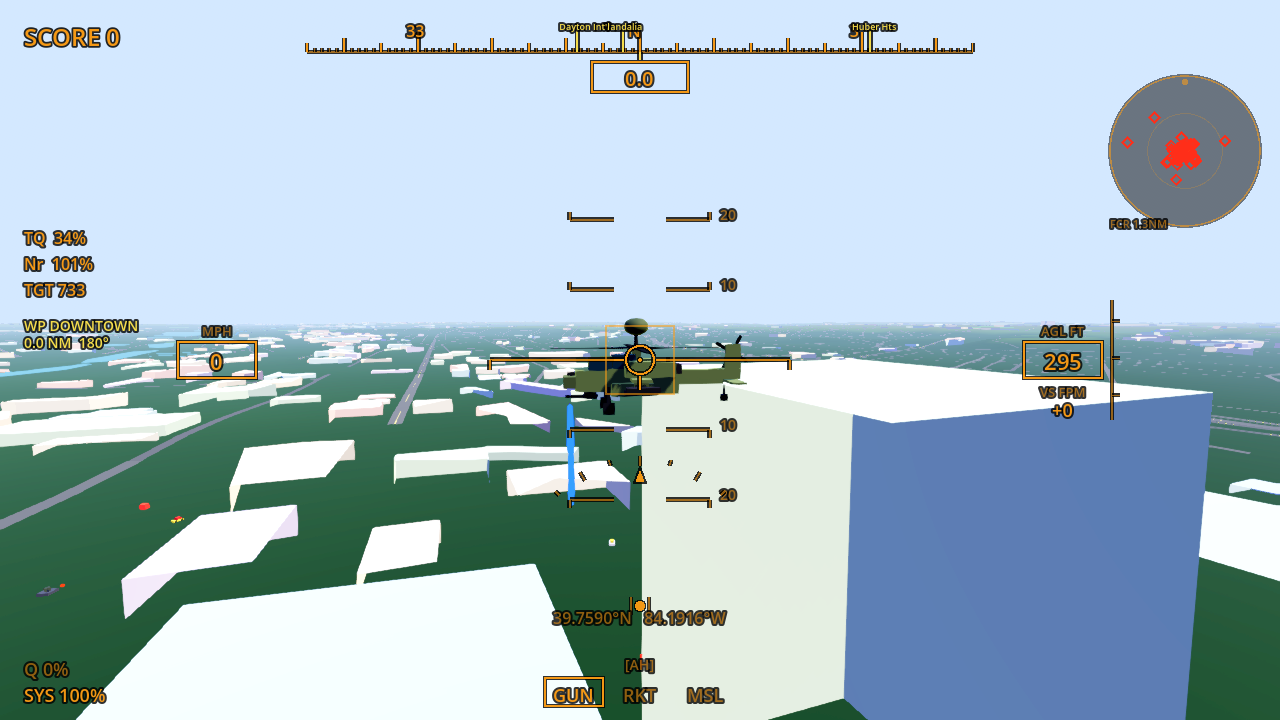
FAS Heli Sim is a phone-first helicopter game built in Godot 4. Fly above real elevation and OpenStreetMap roads and buildings, explore seven regions, hop out on foot, or take flight with a second player in co-op and battle modes. This listing covers the Android full-game release.
$5.99 · One-time purchase · Android
See it in action
What you get
- Seven included regions: Myrtle Beach, Dayton, northeast Oregon, Cincinnati, Lexington, Red River Gorge, and the Florida Keys.
- Free flight, regional races, and missions.
- Phone tilt or on-screen steering, multiple camera views, and a flight-instrument HUD.
- On-foot exploration, skydiving, and parachute play.
- Two-player co-op and PvP battle, with walkie voice chat.
- Optional live ATC radio and separate downloadable map packs.
Quick start
- Install the Android APK and begin with a free flight to learn the controls.
- Hold your phone in landscape. Use tilt steering or the on-screen stick, and practice gentle UP / DN inputs.
- Use VIEW to change the camera, then try a race or mission in another region.
- For two phones on the same network, choose HOST (LAN) on one and JOIN (LAN) on the other.
- Online hosting uses the game’s lobby, but direct connectivity depends on the host network. Voice and live radio require their respective permissions and connectivity.
Controls
Tilt or use the on-screen stick to steer. The Android HUD provides UP, DN, FIRE, TURBO, VIEW, and ATC controls. Use the menu for region selection, co-op, battle, and map import.
Requirements and connection
Android 7+ with a landscape touchscreen and graphics support suitable for Godot 4. Supplied release: 0.003. Motion sensors are needed for tilt steering; touch steering is available. Check the release download details for the supplied version.
Networked co-op, online lobby, voice, and live radio depend on connectivity. Same-network play can use LAN or a phone hotspot. Hosted features and third-party feeds depend on their services being available.
Purchase, download, and install
- Add this product to your cart and complete checkout here on JMSCNC.
- After payment, use the download link on your order or visit My Account → Downloads. Keep your order details for support.
- On Android, extract a ZIP first if supplied, then open the APK. If Android requests permission, allow installation from the browser or file manager you are using and return to the installer.
- Open the app and grant only the permissions needed for the features you use. You can turn installation permission off again after installation.
The purchase is delivered by this WordPress / WooCommerce store. This is a downloadable application; no physical item ships.
Questions before you buy
Are extra map packs included?
The base game includes seven regions. Washington DC, Las Vegas, Mississippi Gulf Coast, Aspen, and custom maps are separate purchases.
How do I add a map?
Use SELECT REGION → GET MAP BY CODE for a purchased code, or IMPORT MAP PACK for a compatible ZIP / PCK.
Can I play with a friend over the internet?
The lobby exchanges connection information. It does not relay game traffic, so the host network must permit the connection. LAN is the simplest place to test.
Is this a finished flight-training simulator?
It is a playable game still described by its project guide as a live beta / work in progress.
Are desktop builds included?
This product is the Android release currently offered on itch.io. Older desktop and Unity builds are separate legacy releases.
Need help?
Visit Contact with your order number, app name, device model, Android or Windows version, and a description of the problem. For updates, check the files available on your order.