SIMIAN TACTICAL TOOLBOX · DIGITAL DOWNLOAD
Eat deck. Find love. Raise a little hell.
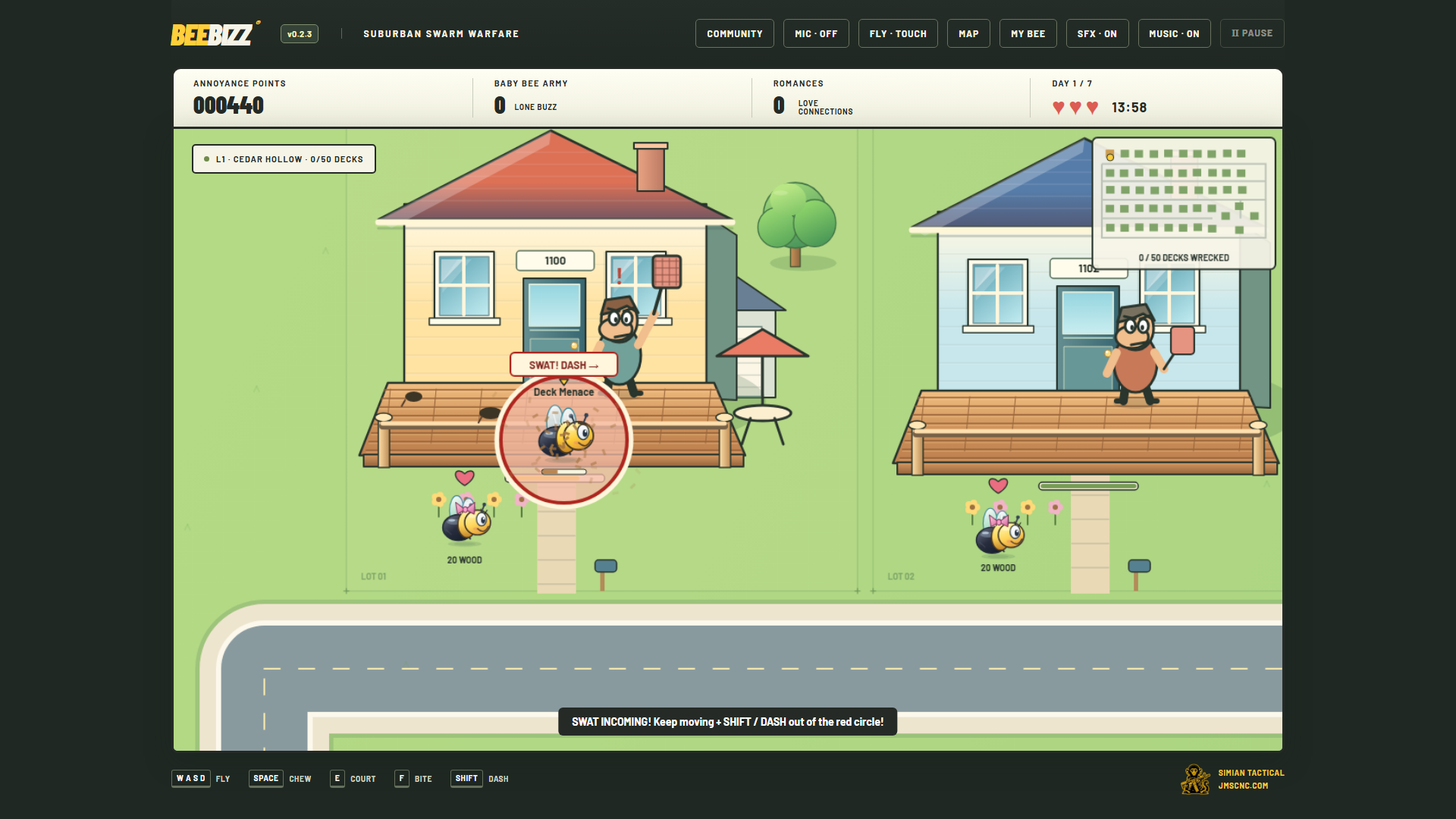
Play a carpenter bee with a disastrous work ethic and a serious appetite. Chew through suburban decks, court other bees, build a baby-bee army, and dodge the homeowners trying to swat you. This purchase includes both the Windows and Android versions.
$4.99 · One-time purchase · Windows + Android
See it in action
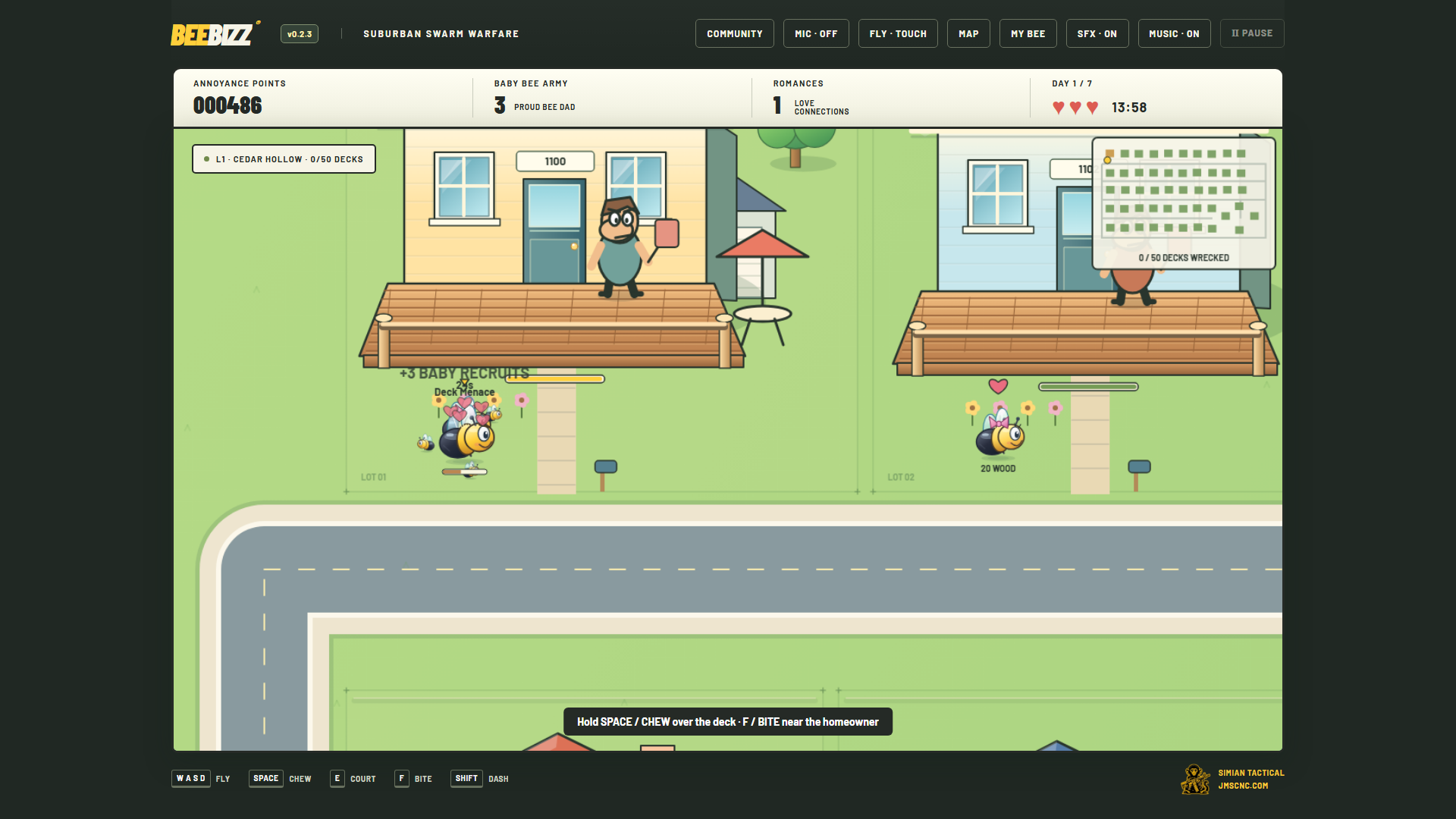
What you get
- 15 neighborhoods with 50 houses each, changing street layouts, and increasingly quick homeowners.
- Solo campaign: clear each block within seven simulated days to unlock the next neighborhood.
- Competitive online matches for 2–4 bees, with 1–15 rounds, house claims, and baby bonuses.
- Fastest-completion, round, and multiplayer leaderboards; local campaign unlocks and saved handles.
- In-game community, feedback, and voice rooms; original music, cartoon swats, and homeowner one-liners with separate sound controls.
Quick start
- Start with the short tutorial from the main menu, then choose the solo campaign.
- Fly to a deck, chew it, and watch the homeowner. Use dash to escape a bad approach.
- Court bees and use your growing swarm to improve your score. Clear the neighborhood before time runs out.
- For multiplayer, connect to the internet and use the online menu. Voice also needs microphone permission.
Controls
Windows: WASD or arrow keys to fly; SPACE to chew; E to court; F to bite; SHIFT to dash; ESC to pause. Android: use FLY to choose touch-drag, calibrated tilt, or arrow buttons. Separate action buttons handle chewing, courting, biting, and dashing.
Requirements and connection
Windows 10/11 x64 with Microsoft Edge WebView2 Runtime, or Android 9+ with an up-to-date Android System WebView. No native iPhone version is included.
The solo campaign works offline. Multiplayer, shared leaderboards, community, and voice need internet access and the hosted BEEBIZZ service.
Purchase, download, and install
- Add this product to your cart and complete checkout here on JMSCNC.
- After payment, use the download link on your order or visit My Account → Downloads. Keep your order details for support.
- On Android, extract a ZIP first if supplied, then open the APK. If Android requests permission, allow installation from the browser or file manager you are using and return to the installer.
- Open the app and grant only the permissions needed for the features you use. You can turn installation permission off again after installation.
- On Windows, extract the complete x64 ZIP before opening the app. Keep its companion files together and install Microsoft’s WebView2 Runtime if it is missing.
The purchase is delivered by this WordPress / WooCommerce store. This is a downloadable application; no physical item ships.
Questions before you buy
Where are my saves?
Campaign progress is saved locally. A saved handle is not an authenticated account or a cross-device cloud save. Clearing app storage or uninstalling may erase progress.
Does one purchase cover both platforms?
Yes. Download the Android APK and Windows x64 ZIP from the same order. Updates are installed manually.
Why is online play unavailable?
Check your connection and the hosted service. Voice also depends on microphone permission. Update Android System WebView if the Android app fails to load.
Need help?
Visit Contact with your order number, app name, device model, Android or Windows version, and a description of the problem. For updates, check the files available on your order.