See the path.
Before the chips.
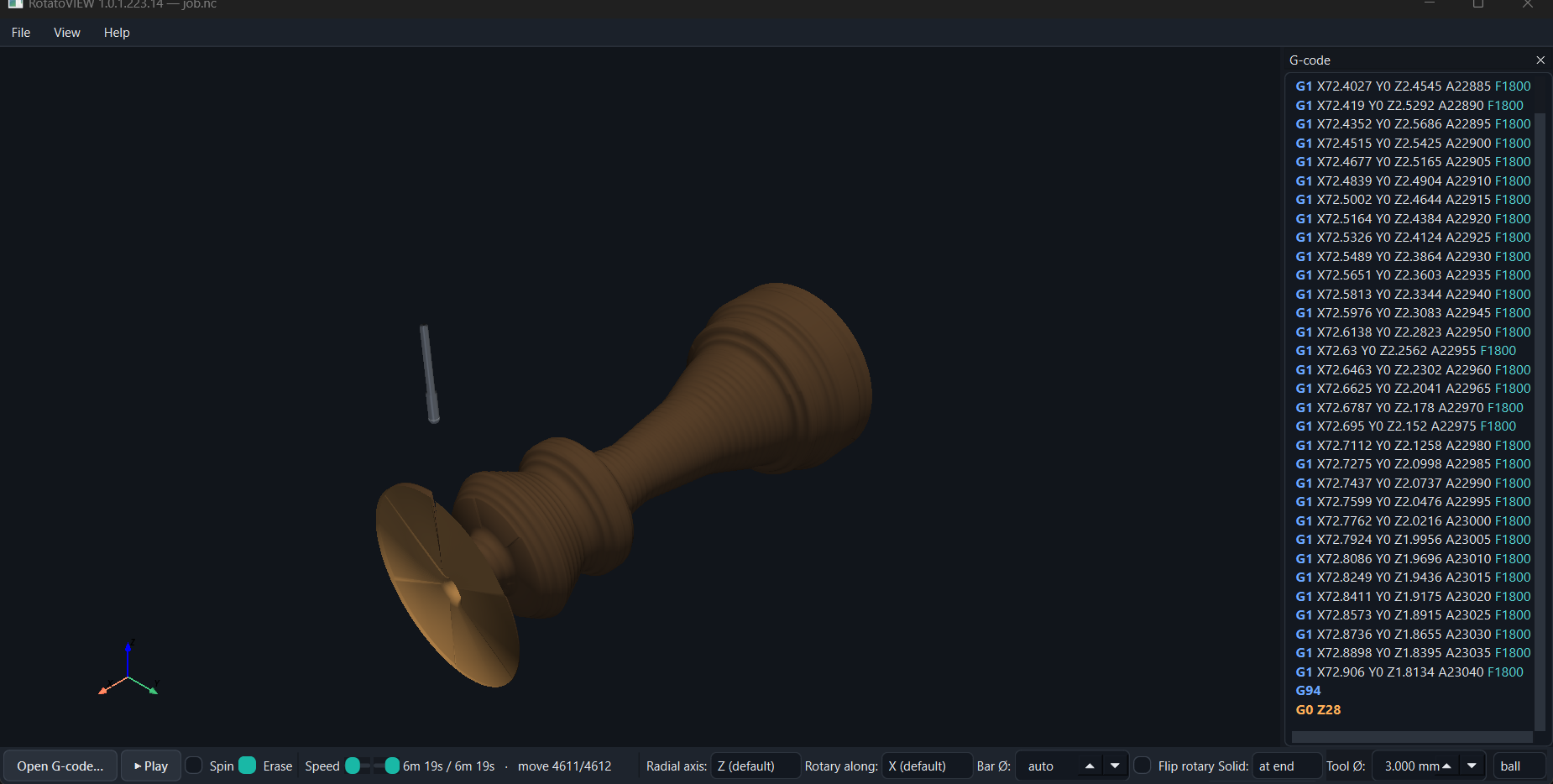
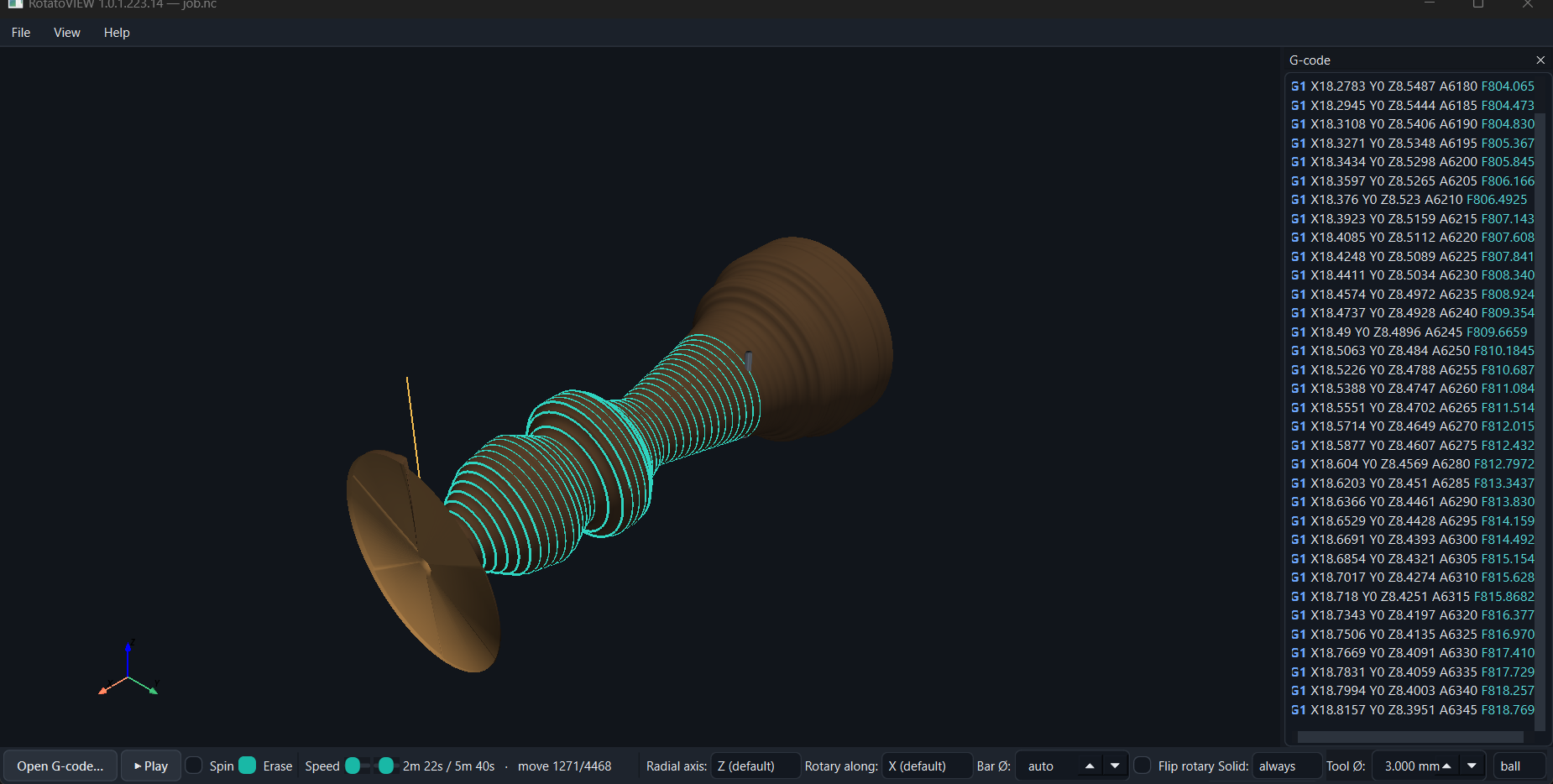
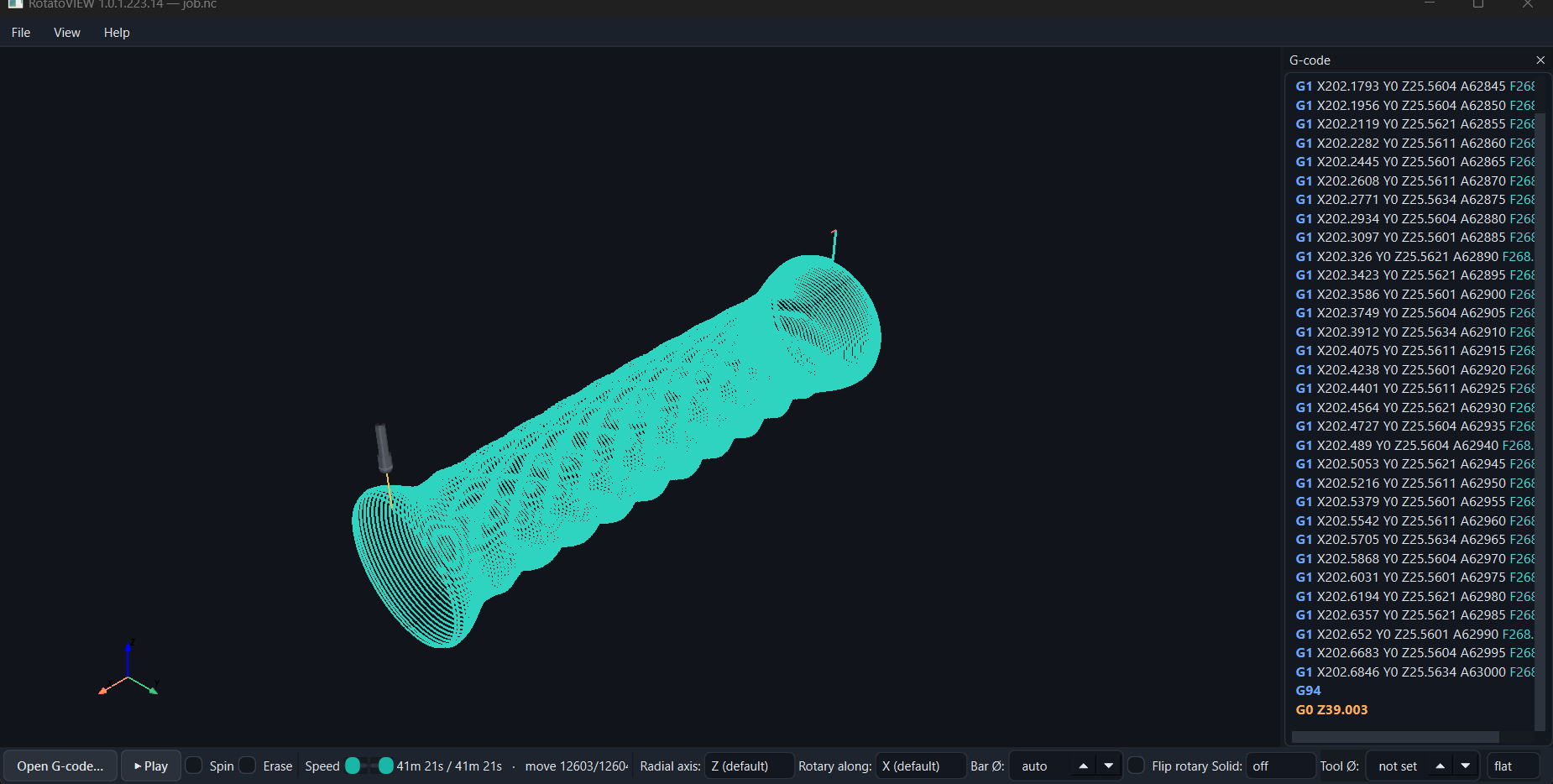
Load rotary G-code and see the real wrapped toolpath: the rotary axis unrolled onto the part and drawn as a curve on the cylinder, where it actually goes.
You have fed your rotary .nc to a dozen backplotters. They choke, or they draw a straight chord from A0° to A350°, or they plot the rotary word as a phantom fourth line heading off into nowhere. RotatoVIEW does not, because it is not a backplotter somebody bolted a rotary onto. It is RotatoCAM’s own viewer, pulled out and given a window of its own — the same interpreter that checks the toolpaths the CAM app writes.
What you get to look at
- The wrap, drawn properly. Coordinated linear and rotary moves are subdivided and drawn in the part frame, so a long A-axis move reads as the arc it is instead of a chord through the middle of your stock.
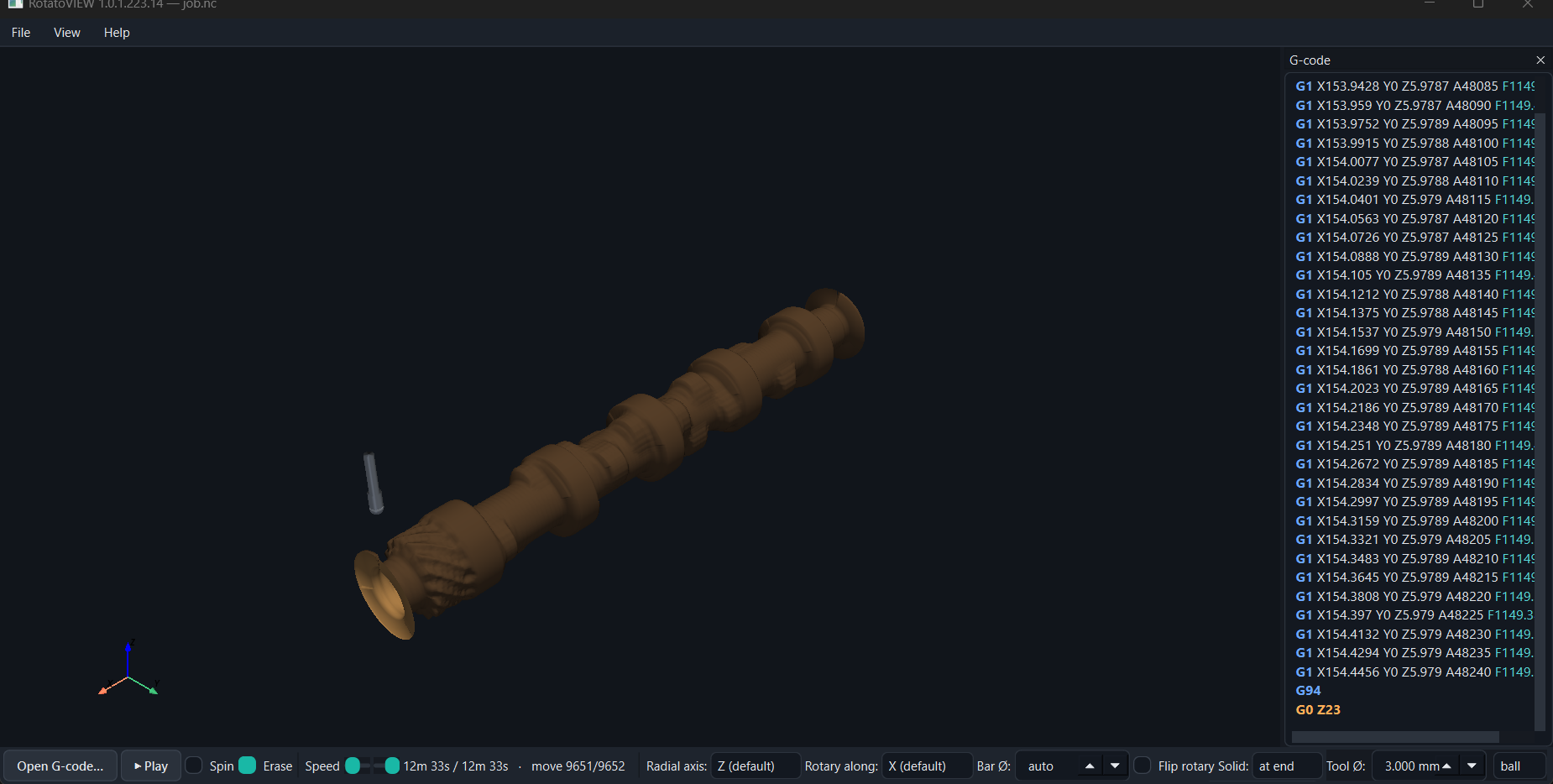
- The cut solid. Not just lines: watch the material come off and leave a real surface behind. Flat or ball cutter per tool, with the ball leaving its curved floor one radius down. Show it at the end of the run, show it the whole way through, or turn it off.
- Move by move. Scrub the timeline, press play and watch the part spin, or slow it right down to study one pass. Feeds, rapids and retracts are drawn in distinct colours, so a rapid buried in the part is something you can see.
- The G-code flyby. The lines being cut scroll past beside the view, colour-coded and in sync with the cutter. Stop on a move and read the line that made it.
- Erase as it cuts. Hide the path behind the cutter to uncover the passes underneath, which is the only way to see what a finishing pass is doing under a roughing cloud.
- Multi-tool programs. It reads the
Twords out of your file and lines them up with the moves, so a combined rough-and-finish program shows each cutter at its own diameter. A file with no tool word is not an error. - Your setup, not a guess. Pick the radial axis, the rotary orientation and the bar diameter to match your post. Flip the wrap direction if a third-party post turns the other way.
- Time, honestly. A running estimate of machining time and the move count, so you know whether you are about to start a twenty-minute job or a four-hour one.
- Ten themes, because staring at a toolpath for an hour is easier in a colour you like. Amber CRT, C64 green phosphor, Nixie, Blueprint, command.com, Orange Dreamsicle, and the plain ones.
It tells you when something is off
A viewer that quietly draws the wrong thing is worse than no viewer. When your file records no bar diameter, it says so rather than inventing one. When the path comes out wider than it is long — the signature of a mismatched rotary axis — it warns you before you go cut it.
Bring your G-code
Opens .nc, .ngc, .gcode, .tap and .cnc. A, B or C rotary words are interpreted for a configured single-rotary setup. Match the orientation and datum to your post and it will show you your program.
What it is not
A backplot shows the interpreted motion. It is not a stock-removal simulation of your machine, a collision check, or a clearance certificate. It is not a universal controller emulator and it is not a simultaneous five-axis viewer. Command support and feed conventions matter. Time estimates differ from real machine time because of acceleration, limits and what your controller decides to do.
Experimental software, provided AS-IS with no warranty. RotatoVIEW views G-code; it does not run your machine. Verify every program and air-cut first.
Pick your platform
- Windows: unzip the portable download and run
RotatoVIEW.exe. No installer, no admin rights. - Linux: x86_64 AppImage, targeting Ubuntu 24.04+ or Debian 13 with glibc 2.39+. Mark it executable and run it. If FUSE is unavailable, use
--appimage-extract-and-run.
One family, two ways in
RotatoVIEW is the focused companion for inspecting rotary G-code you already have. RotatoCAM Pro adds the tools to generate it — and includes this viewer, so if you are buying Pro you do not need to buy this too.
Both come out of the same one-person workshop. Every purchase keeps the development and the toolpath research moving. Read the story → · More about RotatoVIEW →