Give your MCP assistant a direct connection to WordPress. JMS SiteBridge brings content, store, media and administration tools to your own site, with a native WordPress activity dashboard and an optional companion that runs on your computer.
One purchase. Your site. Your connection.
$19.99 one-time. SiteBridge has no subscription, vendor account, cloud relay, telemetry or plugin usage quota. The plugin runs on your WordPress hosting; the optional companion runs locally. Your existing hosting, internet connection and compatible AI/MCP client are still required. Any charges or limits from that client or its AI provider are separate.
What you can do
- Manage content: create and update posts, pages and custom post types; work with comments, users and settings through native WordPress permissions.
- Work with WooCommerce: use the store’s registered REST API for products, categories and other authorized store tasks. WooCommerce is optional and must be installed for its tools to work.
- Handle media: import images and other supported files. Local uploads use explicitly approved folders and respect WordPress upload limits.
- Administer your site: use allowlisted WP-CLI-style commands for plugins, themes, menus, widgets, options, cron and cache. No server shell or arbitrary PHP execution is exposed.
- Review theme work: prepare classic or block-theme drafts, inspect files, preview changes and publish or roll back through WordPress approval screens. Theme editing starts disabled.
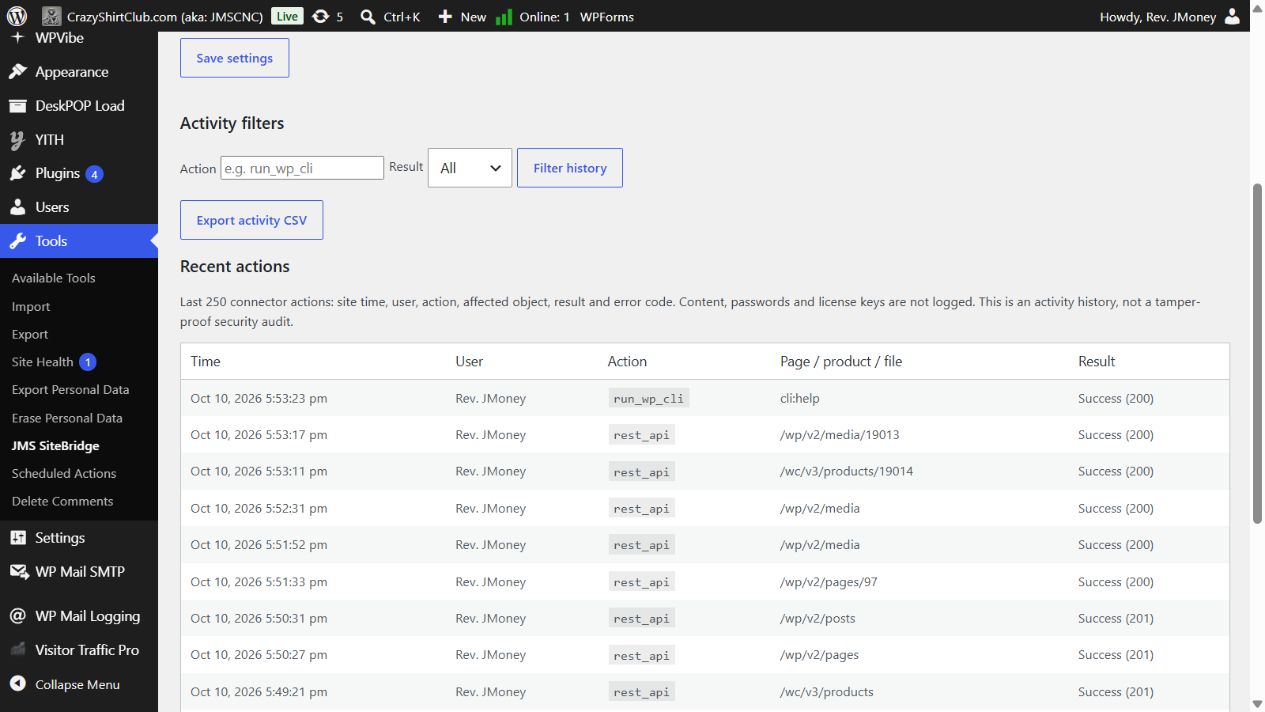
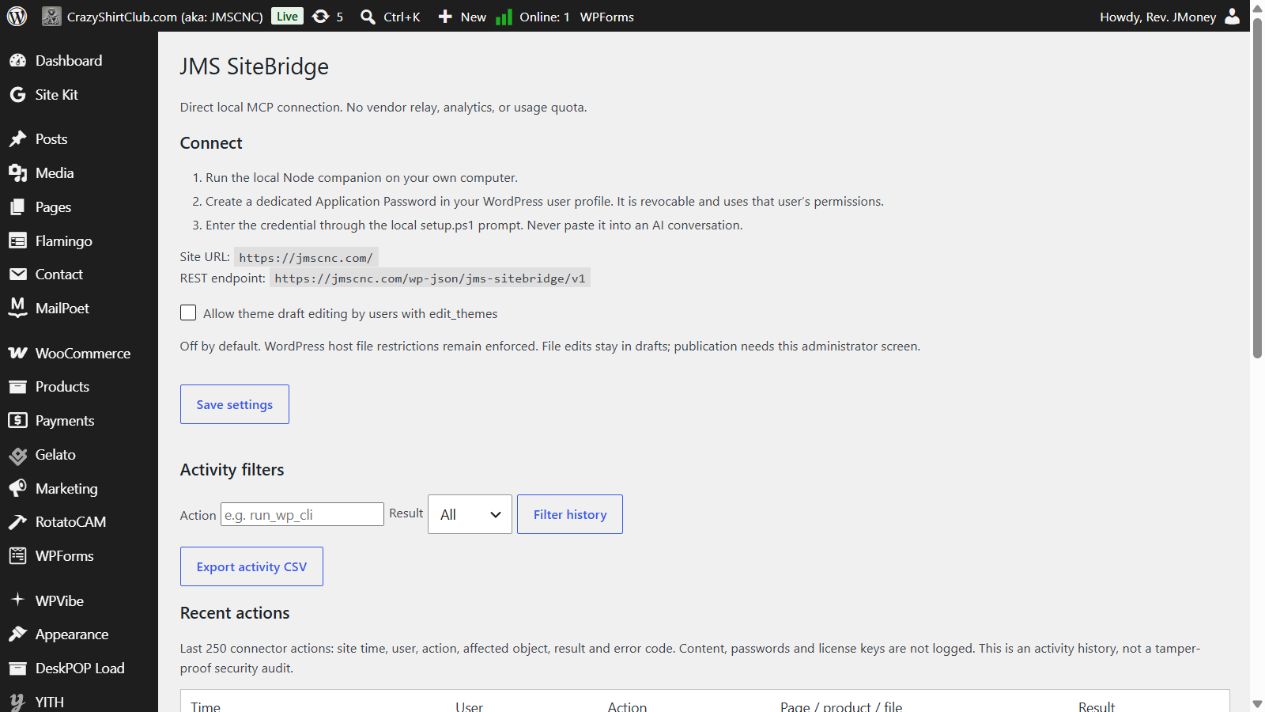
- See what happened: a dashboard widget and Tools → JMS SiteBridge show the latest 250 actions, searchable filters and CSV export, without logging content bodies or credentials.
- Use the optional local companion: add desktop MCP transport, public-page screenshots, CSS inspection, Lighthouse audits and sequential multi-site update jobs.
Installation
- Purchase here, then download the plugin ZIP and source/companion ZIP from My Account → Downloads.
- In WordPress, open Plugins → Add Plugin → Upload Plugin. Select
jms-sitebridge-wordpress-0.2.0-beta.zip, install it and activate JMS SiteBridge. - Open Tools → JMS SiteBridge for connection details and activity history.
- Create a dedicated Application Password under Users → Profile and configure your MCP client locally. Keep credentials out of chat messages.
- Start with
site_infoand verify the returned site before making changes.
Read the full installation and user guide →
Requirements and compatibility
- WordPress 6.9 or newer and PHP 8.1 or newer, with HTTPS and native REST access.
- A WordPress user with appropriate capabilities and a dedicated, revocable Application Password.
- An MCP client supporting HTTP with a configured Authorization header, or a client supporting local stdio through the companion.
- Node.js 22+ for the optional companion; local Chromium for screenshots and Lighthouse audits.
The native endpoint is stateless JSON over HTTP POST. It does not provide OAuth sign-in or an SSE stream. Clients that require OAuth need another supported connection method. Builder adapters require the relevant builder to be installed; this release has not been verified against every host, builder or plugin version.
About this release
Version 0.2 beta. The native endpoint exposes 35 tools; the optional companion exposes 44. Automated checks passed 14 Node tests and 58 isolated WordPress checks on WordPress 7.1.3 / PHP 8.2.33. These are development checks, not an independent security audit or a guarantee of compatibility with every site. Try administrative and theme changes on staging with a current backup.
Includes the installable WordPress plugin, optional Node companion, corresponding source, documentation and third-party license notices. Distributed under GPL-3.0-or-later. No activation serial is required. The purchase covers this beta download; no subscription or promise of lifetime updates is attached.