SIMIAN TACTICAL TOOLBOX · DIGITAL DOWNLOAD
Sound becomes light on a neon console.
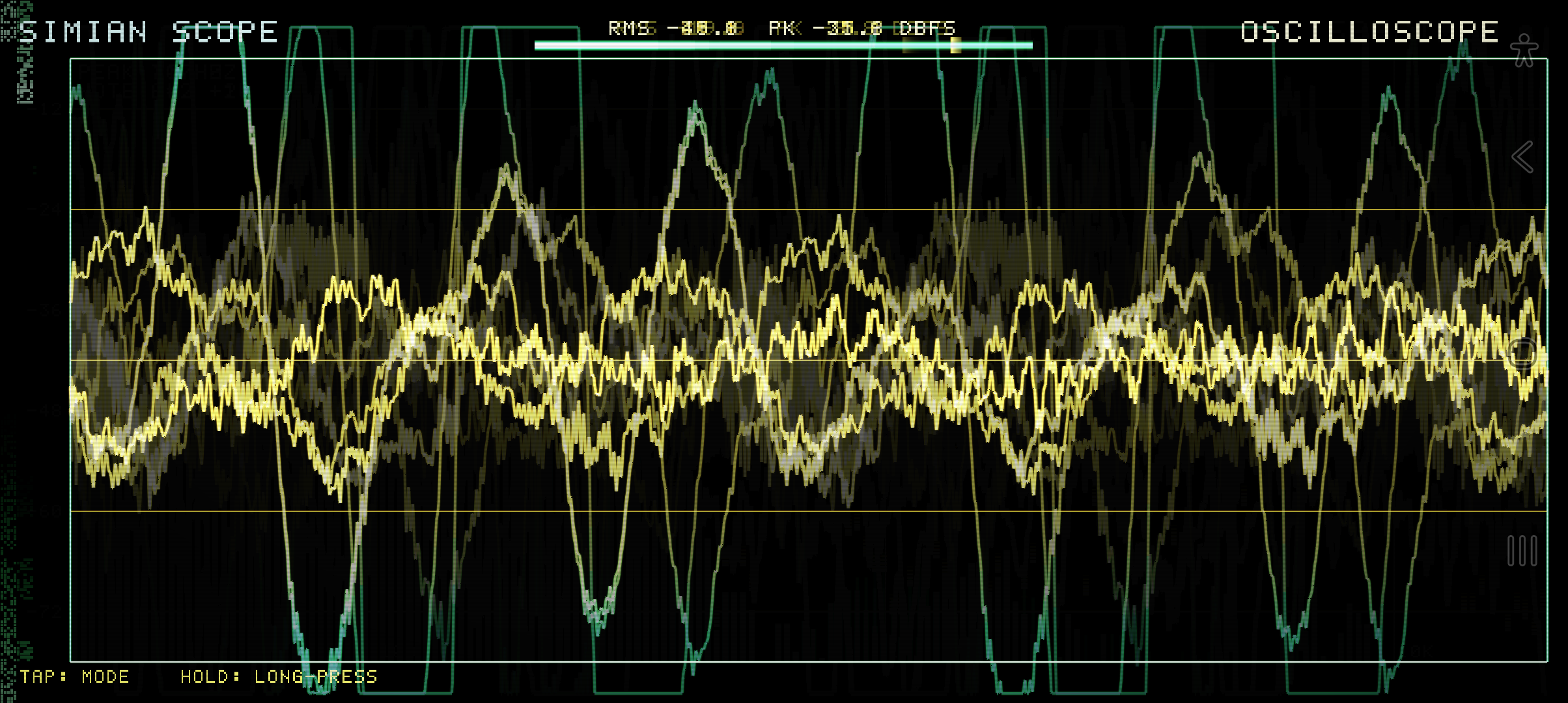
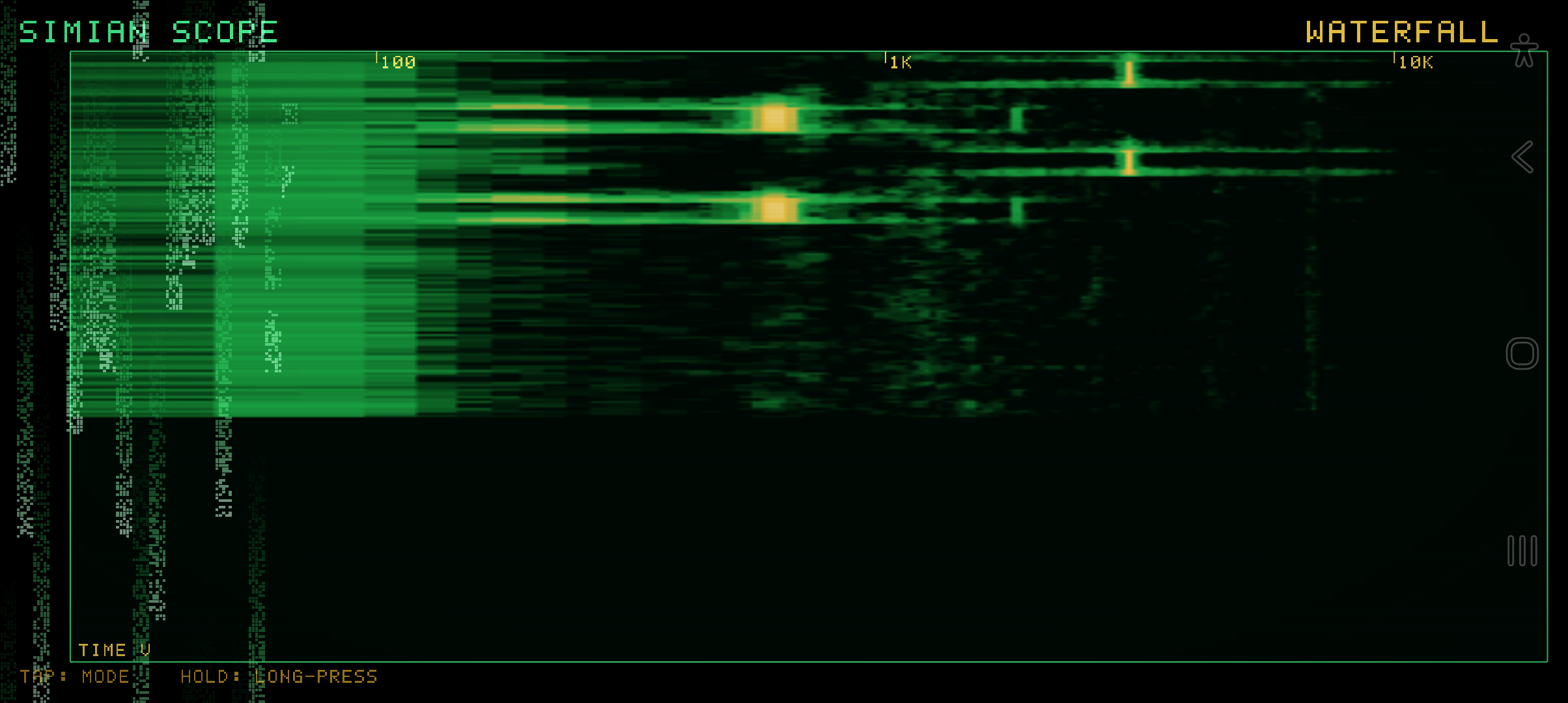
Simian Scope is a small Android audio visualizer and hobbyist analyzer with phosphor trails, glowing traces, CRT scanlines, and falling code. Point the microphone at a sound and move between four views to see its frequency, waveform, recent history, and stereo shape.
$4.99 · One-time purchase · Android
See it in action
What you get
- Spectrum: logarithmic frequency bars, falling peak-hold caps, peak-frequency marker, and note readout with Hz and cents.
- Oscilloscope: zero-cross triggering, automatic gain, and glowing waveform trails.
- Waterfall: scrolling spectrogram from green through amber to white.
- Vector: stereo goniometer and phase correlation when true stereo input is available; a Lissajous-style display for mono.
- Always-visible dB / RMS metering.
- Native C, AAudio capture, and an OpenGL ES 3 renderer in a tiny APK.
Quick start
- Install the APK and allow microphone access.
- Hold your device in landscape and play, sing, or bring an instrument near the mic.
- Tap to move between spectrum, oscilloscope, waterfall, and vector views.
- Long-press to freeze a view when you want to study a transient or pattern.
- Use the spectrum’s note readout for informal tuning, or the waterfall to compare sustained sounds.
Controls
Tap cycles the four views. Long-press freezes the display. Spectrum shows frequency and note information; each view keeps the level meter visible.
Requirements and connection
Android 8+; ARM64 or ARMv7; OpenGL ES 3; landscape. Microphone permission is required. A phone’s built-in mic may provide mono input.
No account, advertising, tracking, or internet permission. Works offline.
Purchase, download, and install
- Add this product to your cart and complete checkout here on JMSCNC.
- After payment, use the download link on your order or visit My Account → Downloads. Keep your order details for support.
- On Android, extract a ZIP first if supplied, then open the APK. If Android requests permission, allow installation from the browser or file manager you are using and return to the installer.
- Open the app and grant only the permissions needed for the features you use. You can turn installation permission off again after installation.
The purchase is delivered by this WordPress / WooCommerce store. This is a downloadable application; no physical item ships.
Questions before you buy
Why does the vector view look different on my phone?
True stereo analysis depends on the input device and capture path. Mono input uses the alternative Lissajous-style visualization.
Is it a calibrated sound-level meter?
It is a hobbyist visualizer and measurement tool. Phone microphones and device gain affect readings.
What if nothing moves?
Check microphone permission and whether another app is occupying the microphone. Try a nearby sound and a different view.
Need help?
Visit Contact with your order number, app name, device model, Android or Windows version, and a description of the problem. For updates, check the files available on your order.