THE ROTATOCAM FAMILY / ROTATOVIEW
See the path.
Before the chips.
Your rotary G-code, wrapped around the part where it belongs.
Open a supported program, explore its 3D backplot, and follow the cutter through the moves. RotatoVIEW takes RotatoCAM’s rotary viewer and gives it a place of its own.
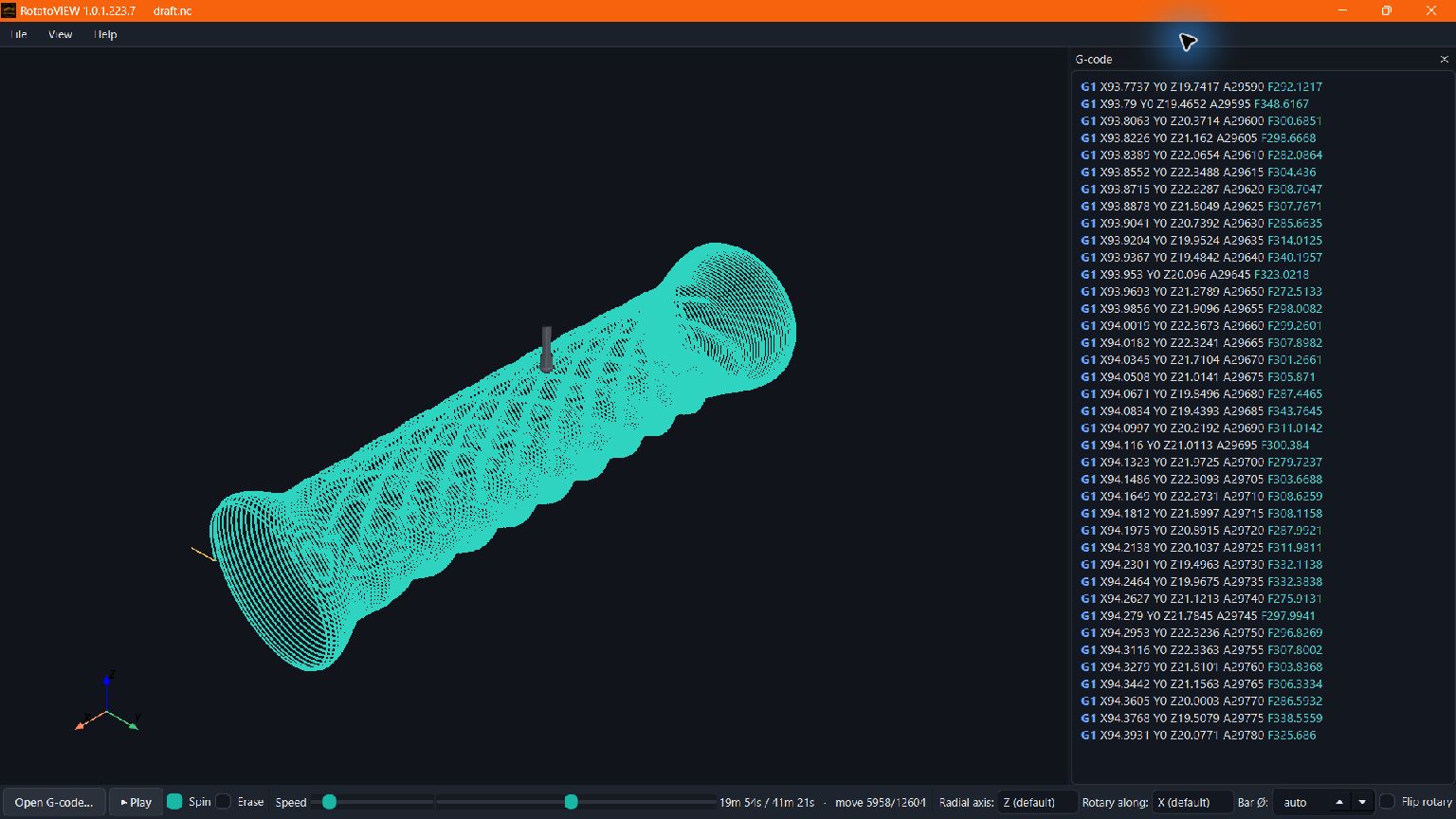
FOLLOW THE ROTARY
Curves around the part.
Coordinated linear and rotary moves are drawn in the part frame. Subdivided rotary motion shows the wrap instead of a straight chord through the middle.
READ THE PROGRAM
Move by move.
Scrub the timeline, follow the highlighted G-code, or play the path with the part spinning. Feeds, rapids and retracts use distinct colours.
LOOK A LITTLE CLOSER
Your setup, your view.
Choose the radial axis, rotary orientation and bar diameter to match the program. Erase completed paths during playback to reveal passes underneath.
ON THE SCREEN
Real G-code. A clearer picture.
These are backplots of a posted sample program, captured in the Windows app. RotatoVIEW also runs on Linux.
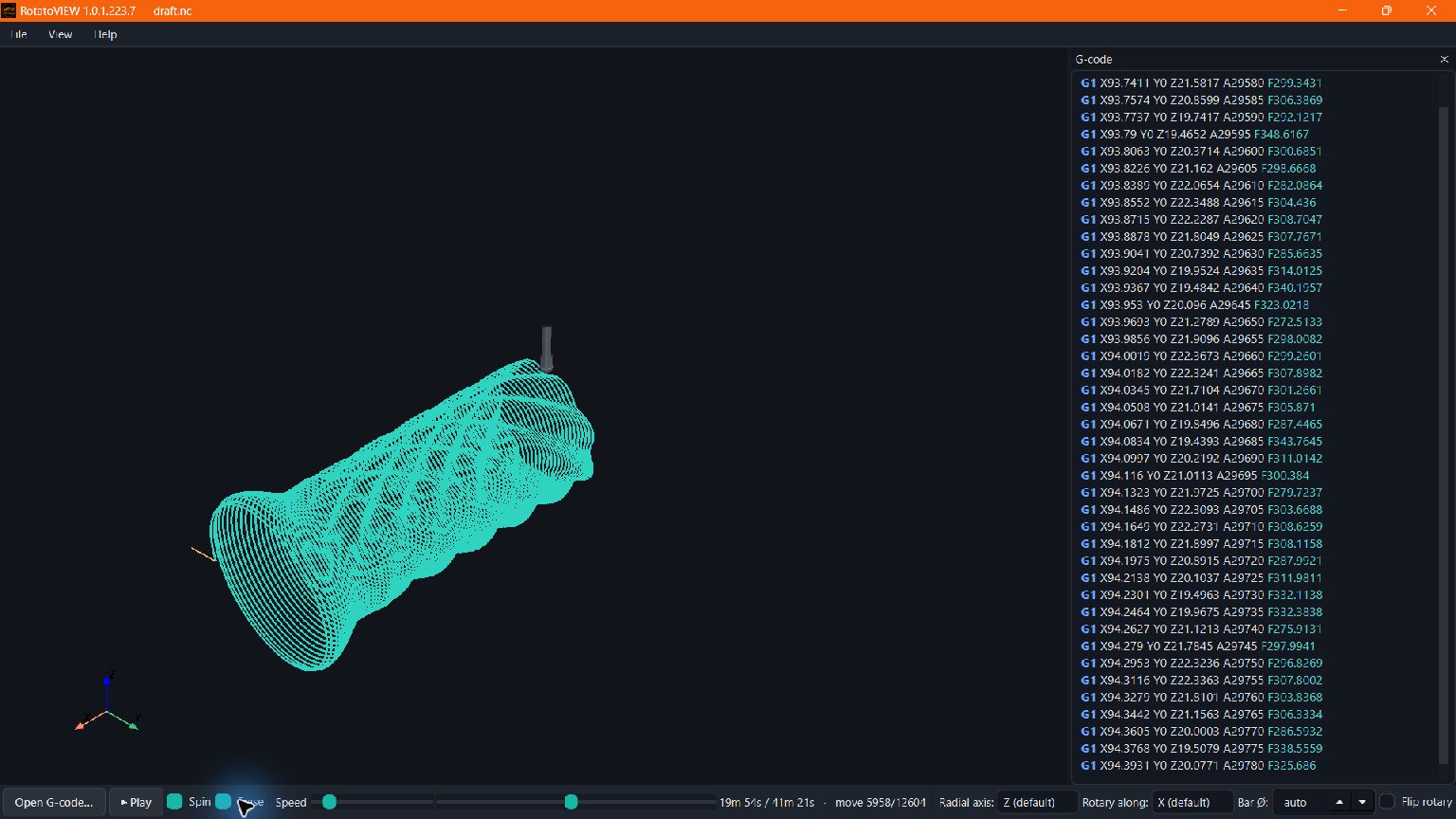
A backplot shows the interpreted motion. It is not a stock-removal simulation or a collision-clearance certificate.
ONE FAMILY. TWO WAYS IN.
Just looking?
Or making toolpaths too?
RotatoVIEW is the focused companion for inspecting supported rotary G-code. RotatoCAM adds the tools to generate it.
Both come from the same one-person hobby project. Every purchase helps keep development and toolpath research moving. Read the story →
RotatoVIEW $29
One-time purchase, no subscription. Use your RotatoVIEW license on up to three Windows or Linux computers.
Buy RotatoVIEW →Already own it? Get your downloads →ALREADY INCLUDED
RotatoCAM Pro + the viewer
Pro includes the G-code viewer alongside the full released CAM strategy toolbox. Pro owners can open supported G-code inside RotatoCAM without buying the standalone viewer.
Bring your G-code.
Open .nc, .ngc, .gcode, .tap or .cnc files. Supported A, B or C rotary words are interpreted for a configured single-rotary setup. Match the orientation and datum to your post.
Command support and feed conventions matter. RotatoVIEW is not a universal controller emulator or a simultaneous five-axis viewer. Time estimates can differ from machine time because of acceleration, limits and controller behaviour.
Pick your platform.
Windows: unzip the portable download and run RotatoVIEW.exe.
Linux: x86_64 AppImage, targeting Ubuntu 24.04+ or Debian 13 with glibc 2.39+. Mark it executable and run it. If FUSE is unavailable, use --appimage-extract-and-run.
Experimental software, provided AS-IS with no warranty. RotatoVIEW views G-code; it does not run your machine. Verify every program and air-cut first.