SIMIAN TACTICAL TOOLBOX · DIGITAL DOWNLOAD
Your Android screen is the fireworks show.
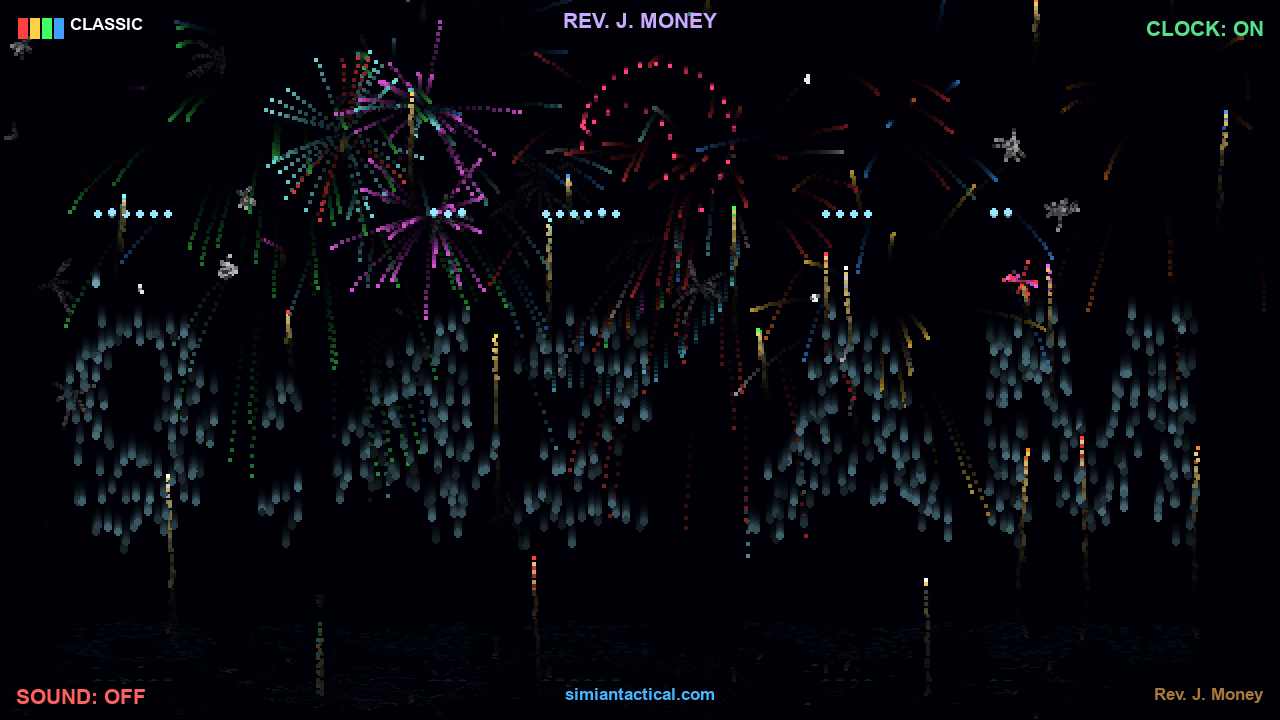
Turn a quiet screen into a neon backyard fireworks display. Launch rockets with touch gestures, charge bigger bursts, sketch names in the sky, and let the clock announce each new minute with fireworks. This is an interactive Android visual toy with synthesized sound and optional haptics.
$4.99 · One-time purchase · Android
See it in action
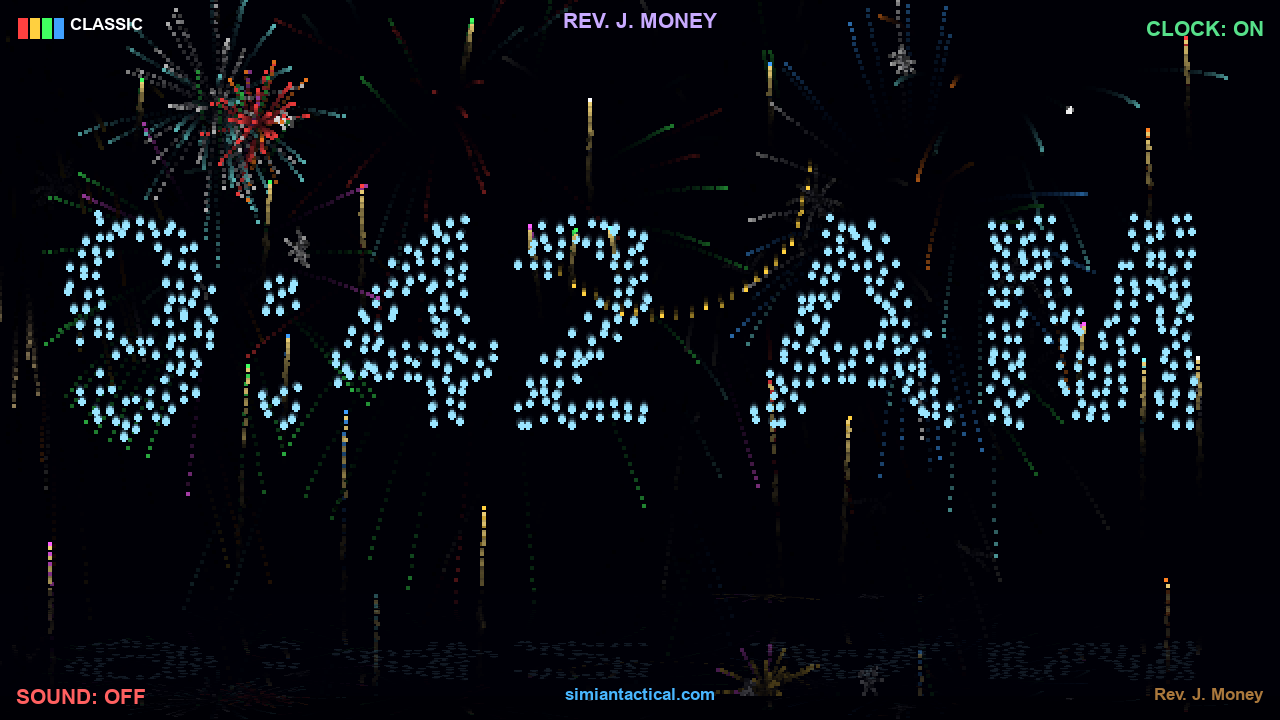
What you get
- Tap or drag to launch fireworks; hold to charge and trigger a triple finale.
- Tilt to change the wind and shake the phone for chaos.
- Heart, smiley, ring, and star bursts, plus custom-name skywriting.
- Minute-by-minute fireworks clock.
- Classic, Brocade, USA, and Neon themes with trails and ground reflections.
- Synthesized audio and optional vibration controls.
Quick start
- Install the APK, open the app, and hold your device in landscape.
- Tap to launch a firework, then try dragging and holding for different bursts.
- Choose a theme and experiment with shapes or skywriting.
- Set sound and haptics to taste, then leave it running to see the clock display at the next minute.
Controls
Tap and drag to launch; hold to charge; triple-tap for a bigger show. Tilt controls wind, and shaking adds chaos. Choose shapes, themes, sound, and vibration from the app controls.
Requirements and connection
Android 4.4+; landscape display. The APK requests vibration permission for haptics. This listing is for Android.
Works offline. The supplied APK has no internet or microphone permission.
Purchase, download, and install
- Add this product to your cart and complete checkout here on JMSCNC.
- After payment, use the download link on your order or visit My Account → Downloads. Keep your order details for support.
- On Android, extract a ZIP first if supplied, then open the APK. If Android requests permission, allow installation from the browser or file manager you are using and return to the installer.
- Open the app and grant only the permissions needed for the features you use. You can turn installation permission off again after installation.
The purchase is delivered by this WordPress / WooCommerce store. This is a downloadable application; no physical item ships.
Questions before you buy
Is this a screensaver for Windows?
This purchase contains the Android app. A separate desktop screensaver is not included.
Does it use real fireworks?
Everything is simulated on the screen.
Why is there no vibration?
Check the in-app haptic setting and your device vibration settings; hardware support varies.
Need help?
Visit Contact with your order number, app name, device model, Android or Windows version, and a description of the problem. For updates, check the files available on your order.