Overview
The Simian Tactical SDR Toolbox is a black/amber SDR cockpit built on top of sdrtrunk. It keeps everything sdrtrunk does — P25/DMR/NXDN trunked & conventional decoding, the playlist/alias system, tuners, map — and adds two big things:
- The SLICKTOP MDT dashboard — a heads-up, unmarked-car style display of live radio traffic, fed in-process by sdrtrunk’s own decode events (no server, no network).
- A multi-mode cockpit — a Mode menu that hands the dongle off to external decoders (rtl_433, AIS, ADS-B, SSTV, noaa-apt, dsd-fme, multimon-ng, the rtl-sdr tools) and shows their output in-app.
Everything is themed black/amber to be easy on the eyes, the spectrum/waterfall sits along the bottom, and the buttons have a tactile 3-D feel.
The Window
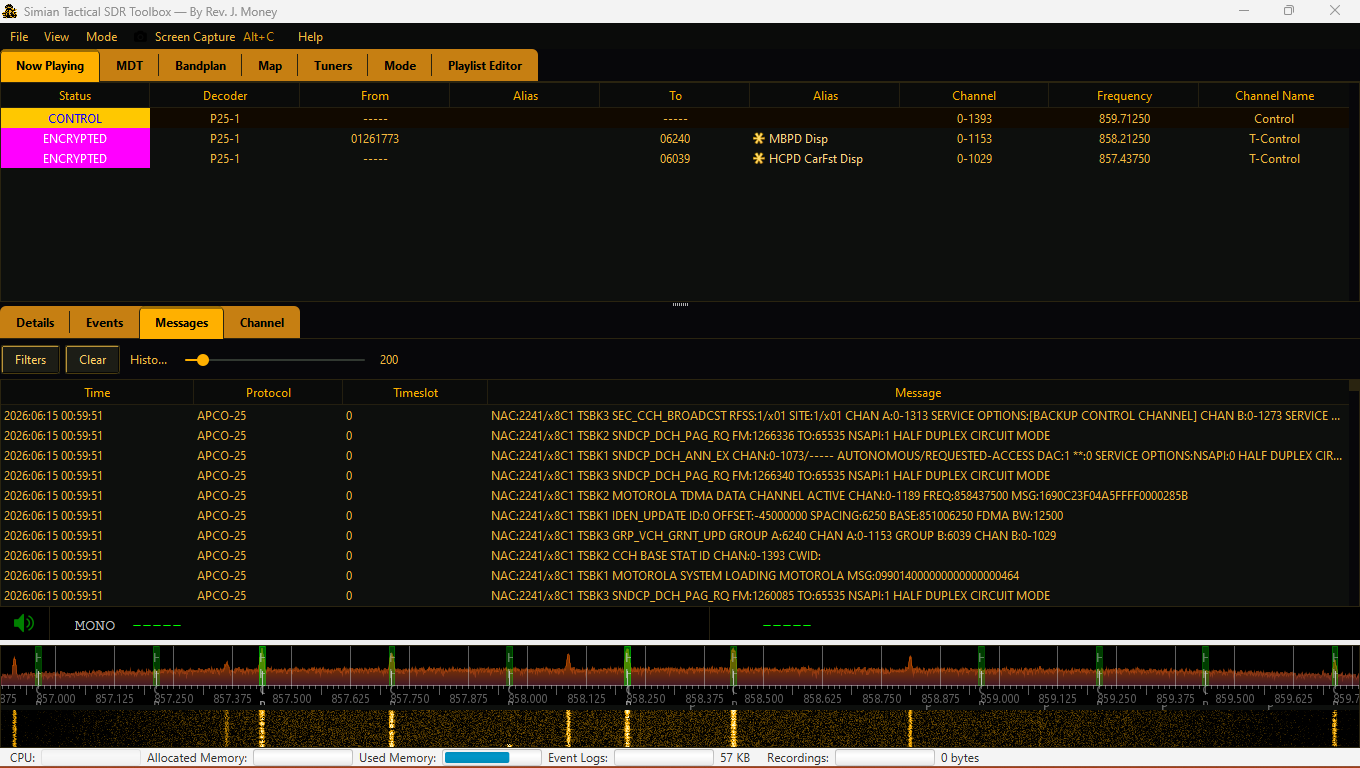
Top to bottom: the menu bar, the tab picker (orange tabs with black text), the large content area, a thin audio-controls strip, and the spectrum + waterfall along the bottom. The tabs are:
| Tab | What it is |
|---|---|
| Now Playing | sdrtrunk’s live channel table, decode events, and messages. |
| MDT | The SLICKTOP dashboard (below). |
| Bandplan | A band reference page for building your local plan. |
| Map | Geographic display of decoded positions. |
| Tuners | Tuner selection & configuration. |
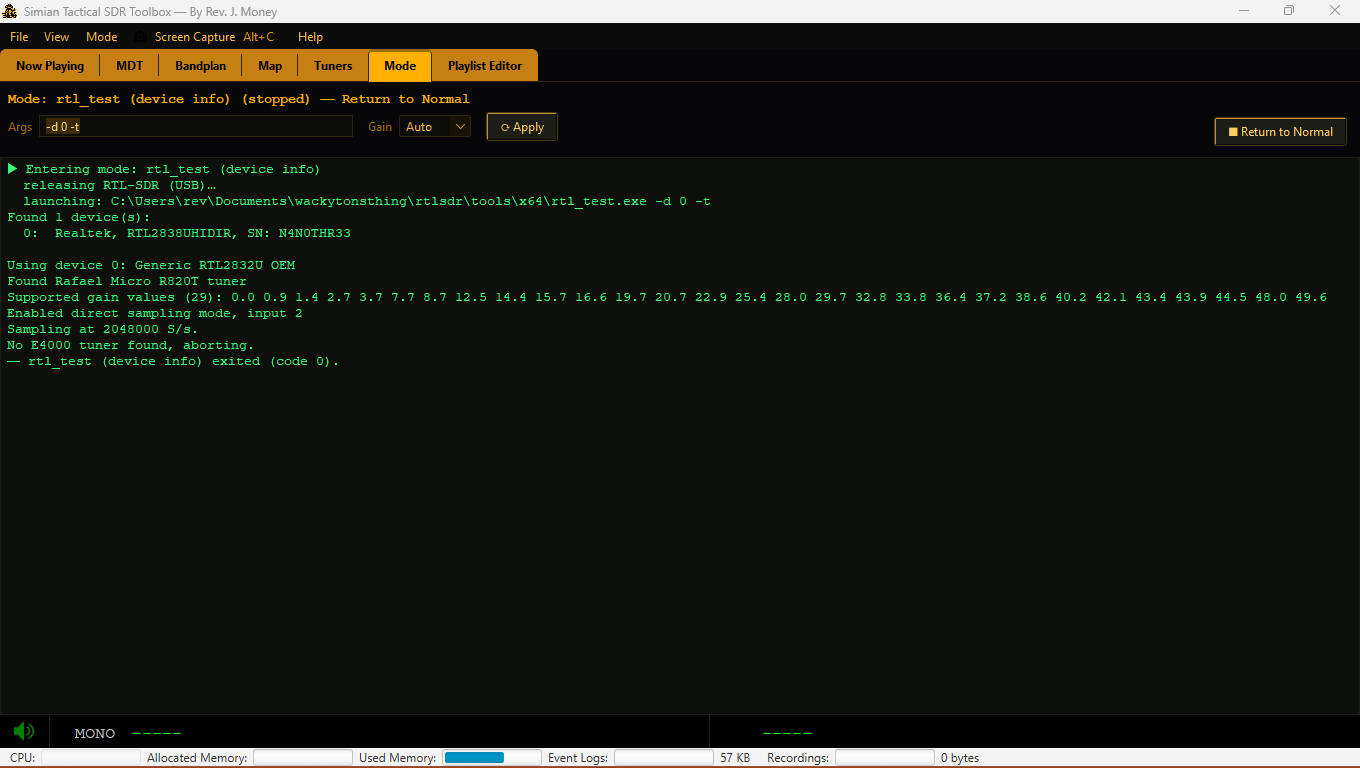
| Mode | The external-decoder cockpit console (below). |
| Playlist Editor | Aliases, channels, streaming — docked, not a pop-out. |
The MDT Dashboard
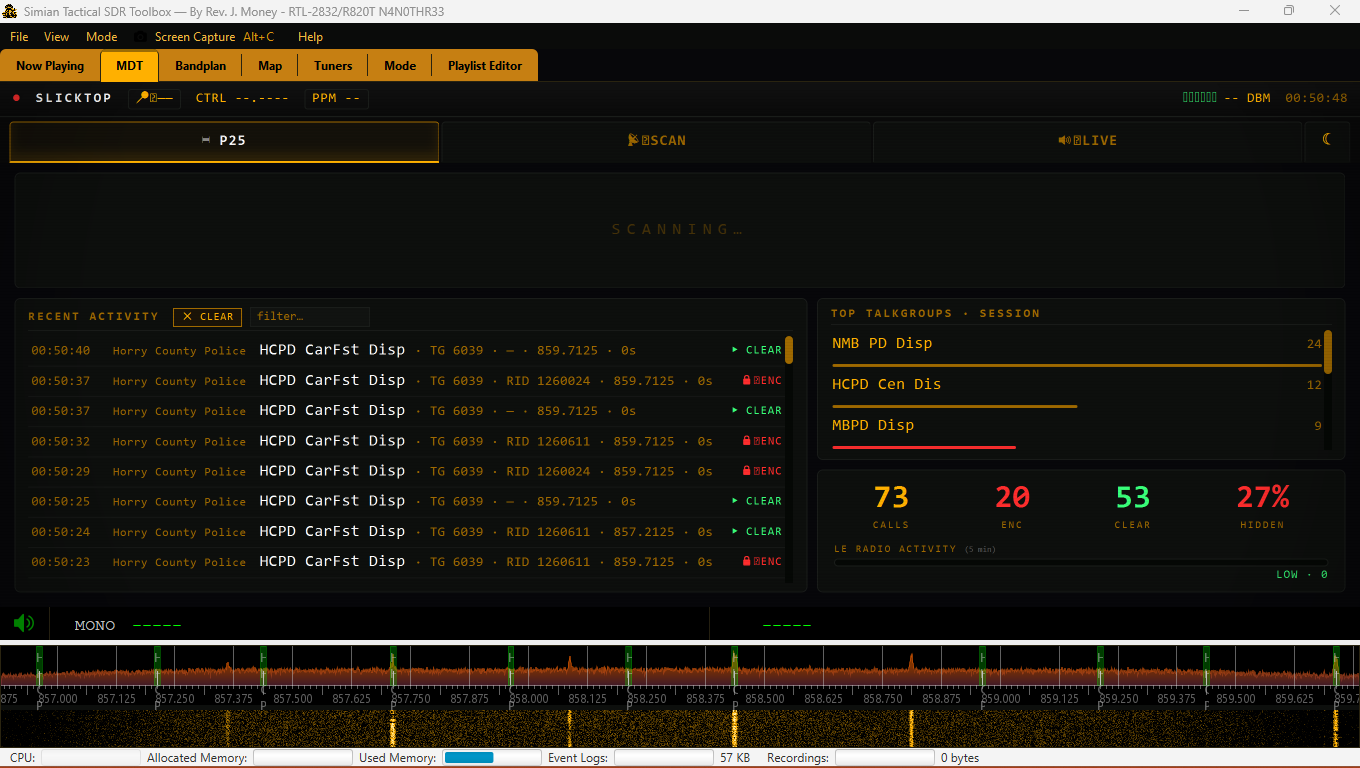
The MDT tab renders the SLICKTOP dashboard and is fed live by the radio. It resolves talkgroup labels, agencies and encryption straight from your loaded playlist (the same data “Now Playing” uses), so what you see here matches your aliases.
- Hero panel — the current call: talkgroup label, category, TG/RID/frequency, and a CLEAR (green) or ENCRYPTED (red, strobing) badge.
- Recent Activity — a scrolling log (up to 200) with category · TGID · RID · frequency · duration. Clear calls are playable; there’s a filter box and a ✕ CLEAR button.
- Top Talkgroups — the busiest TGs this session, red bars for encrypted.
- Counts — CALLS / ENC / CLEAR, plus HIDDEN % (the share of voice traffic that’s encrypted). The HIDDEN figure glows red at ≥50% — a quick “something’s going down” tell.
- LE Radio Activity — a 5-minute chatter meter for encrypted law-enforcement talkgroups.
Now Playing, Map & Playlist
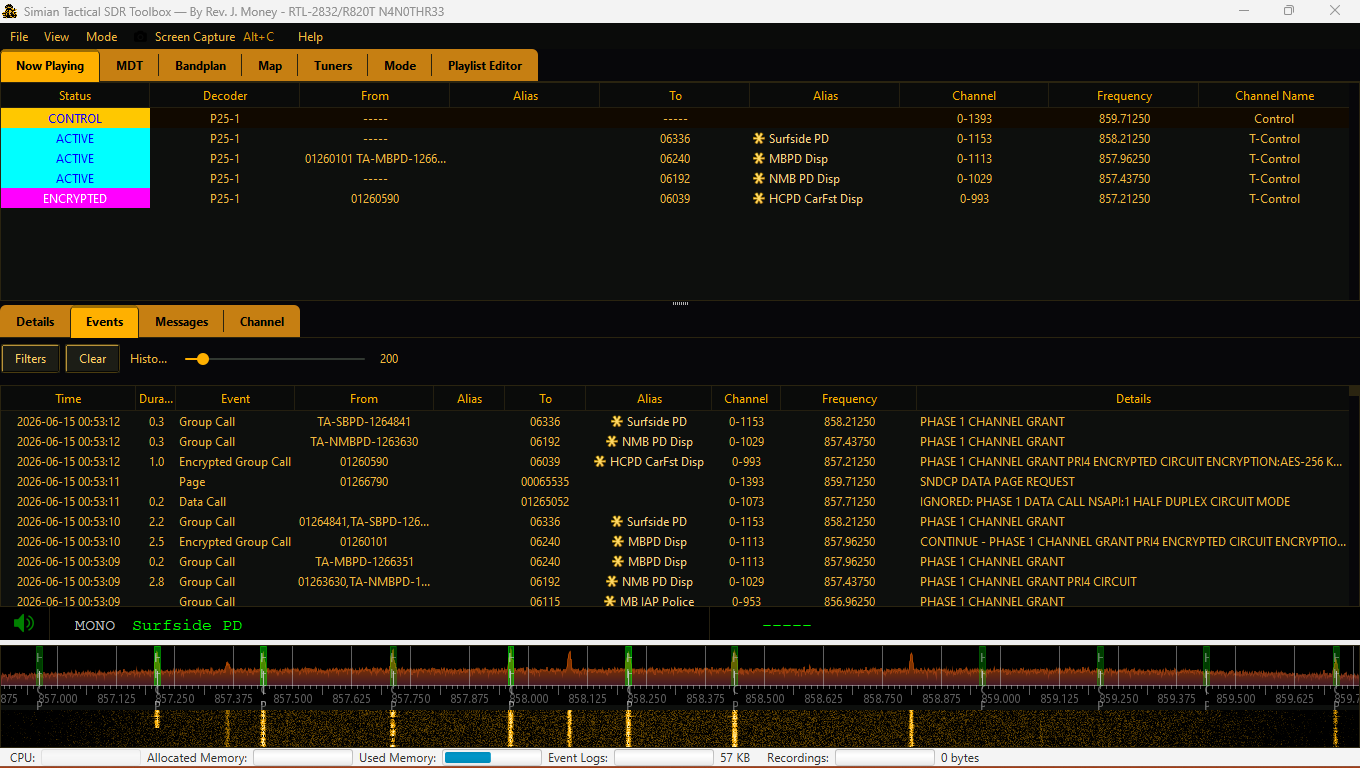 Now Playing: live channels + decode events.
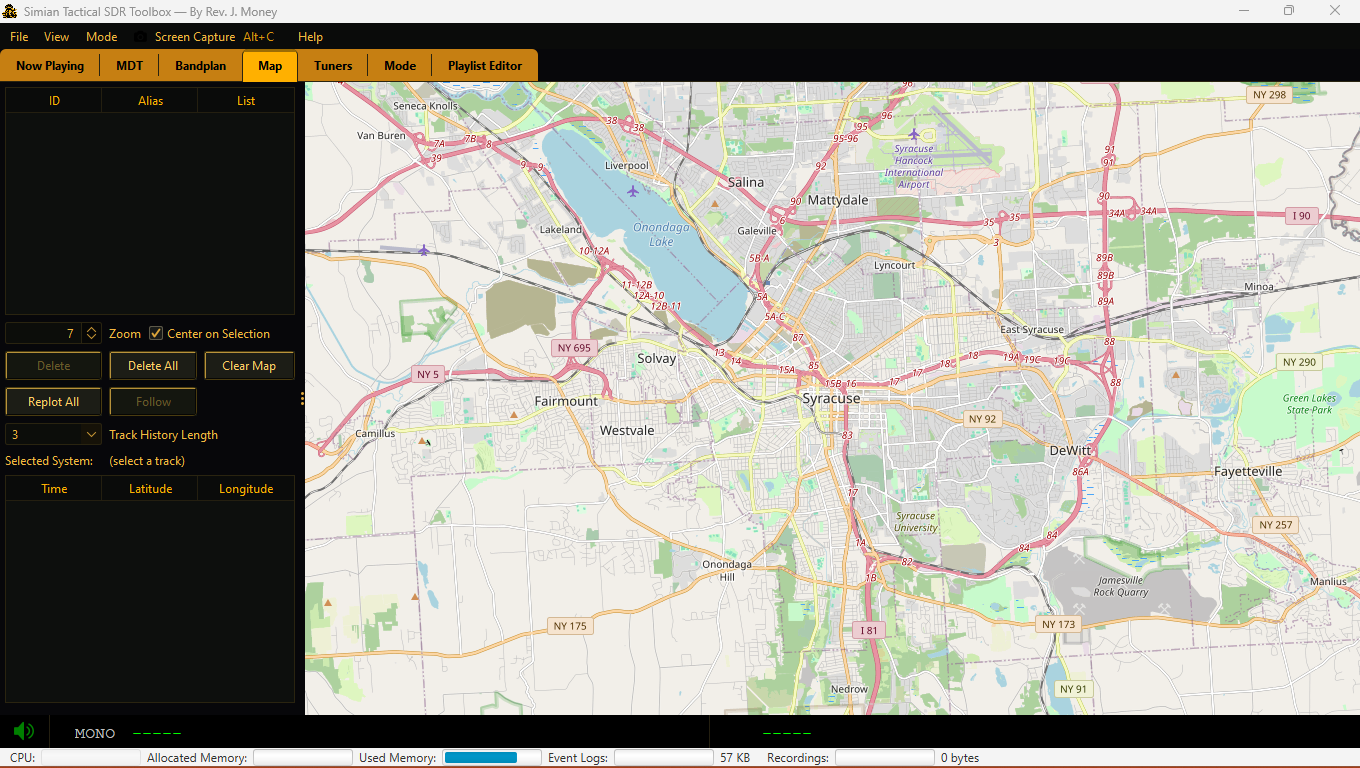 Map: decoded positions.
These are sdrtrunk’s native panels, re-themed and made readable on the dark UI (alias colors are auto-brightened so
they’re legible). The Playlist Editor is now a real docked tab; File ▸ Import ▸ RadioReference CSV
imports talkgroups offline, and you can drag-and-drop or multi-select .xml playlists.
Modes — the Multi-Mode Cockpit
With one dongle, only one program can use it at a time. The Mode menu manages that handoff. Selecting a mode:
- Stops & remembers your running sdrtrunk channels, clears the bottom spectrum, and releases the RTL-SDR.
- Launches the external tool as a managed subprocess and shows its output in the Mode tab.
- Returning to Normal kills the tool, re-acquires the dongle, restores the spectrum, and restarts your channels.
Each tool’s binary path is configurable via Mode ▸ Configure tool paths…; missing tools are greyed out.
The decoders live in the project’s tools/win-x64 folder, so the app is self-contained.
FM Listening & RDS
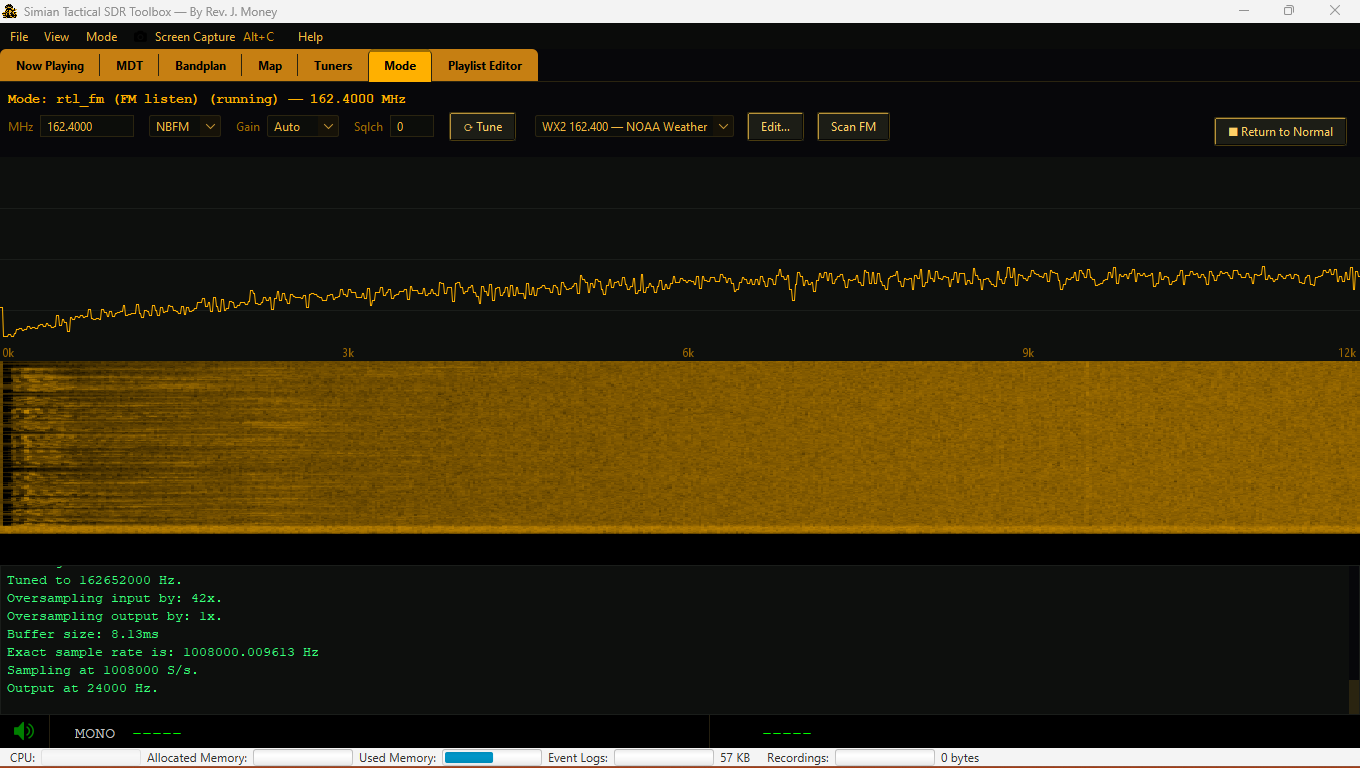
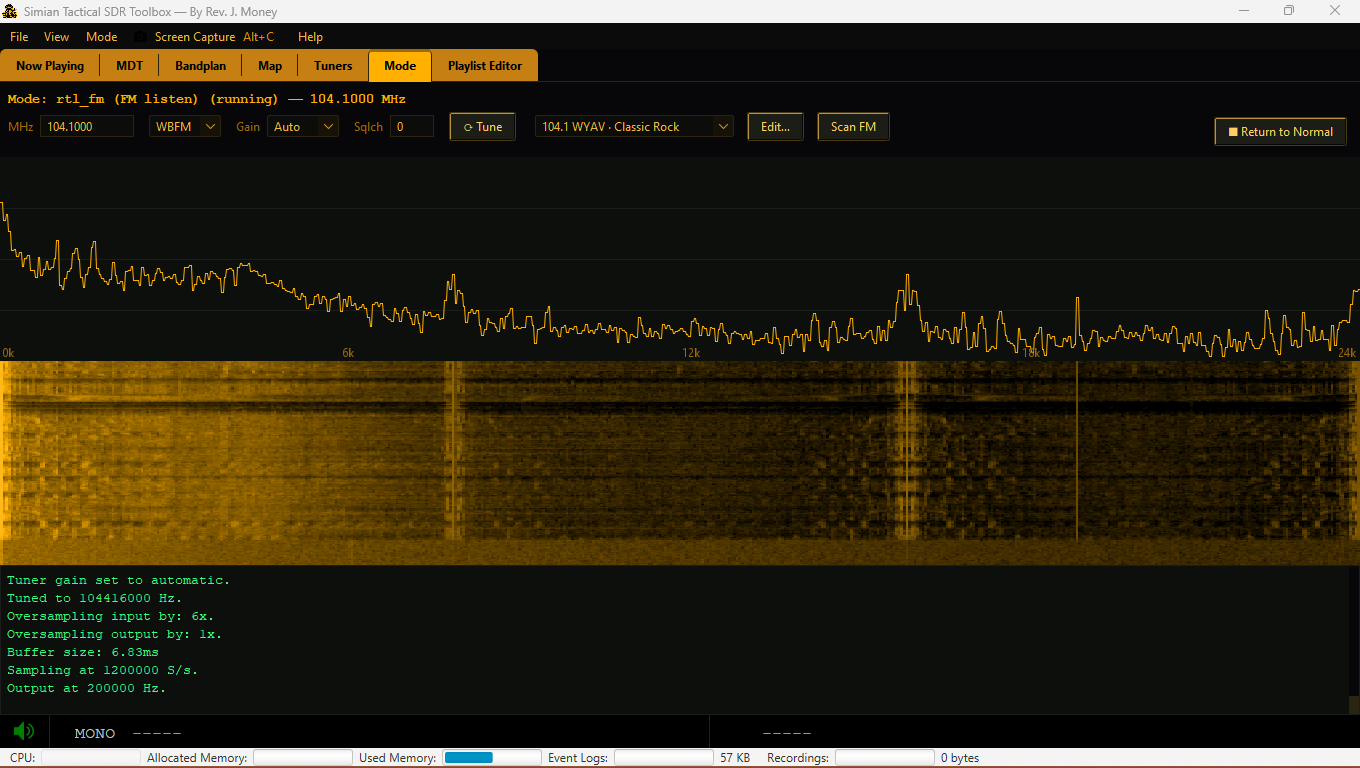
Mode ▸ rtl_fm turns the dongle into a real receiver. The Mode tab shows a tuning bar: MHz, demod (NBFM/WBFM/AM/USB/LSB), Gain, Squelch, a Preset dropdown (NOAA weather + local FM stations you add via Scan FM), Edit/Scan FM, and an audio spectrum + waterfall that dances with the signal.
- Live tuning — change anything and it re-tunes instantly (Enter in the MHz box, or hit Tune).
- Scan FM — sweeps 88–108 MHz with
rtl_powerand adds detected stations as presets (like a TV channel scan). - RDS (experimental) — tick the RDS box on a broadcast (WBFM) station. The app
switches to wideband MPX capture and decodes the 57 kHz RDS subcarrier in-app, showing station name + radio text on
the
RDSline. Needs a strong station to lock.
The Decoders
| Mode | What it does | Notes |
|---|---|---|
| rtl_433 | 433/315/868 MHz ISM devices — TPMS, weather stations, sensors → live table. | Drive past a parking lot to catch tire-pressure sensors. |
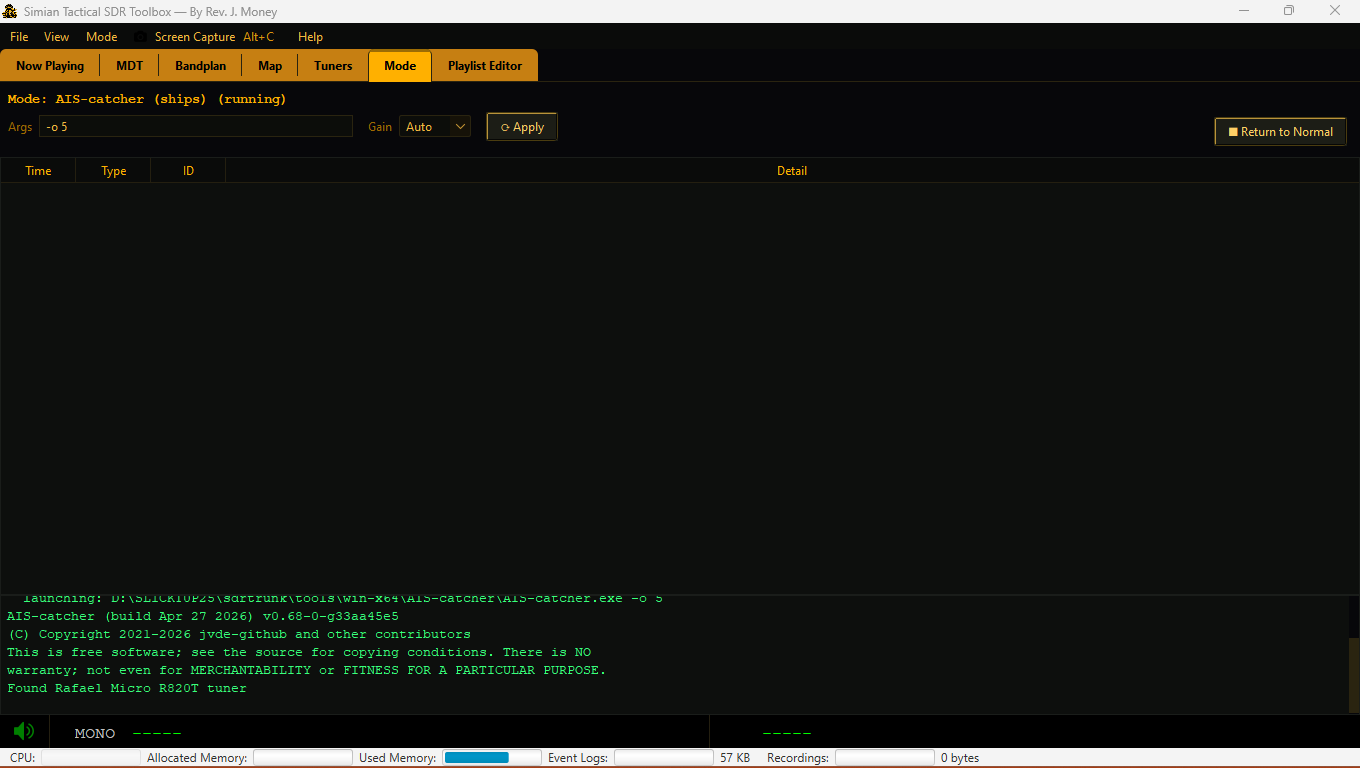
| AIS-catcher | Marine AIS → ship table (MMSI, name, position). | Great on the ICW / coast — trawlers & charters run AIS. |
| ADS-B aircraft | 1090 MHz aircraft via rtl_adsb, decoded in-app (callsign, altitude, speed, position). | Pure-Java Mode-S decoder; no dump1090 needed. |
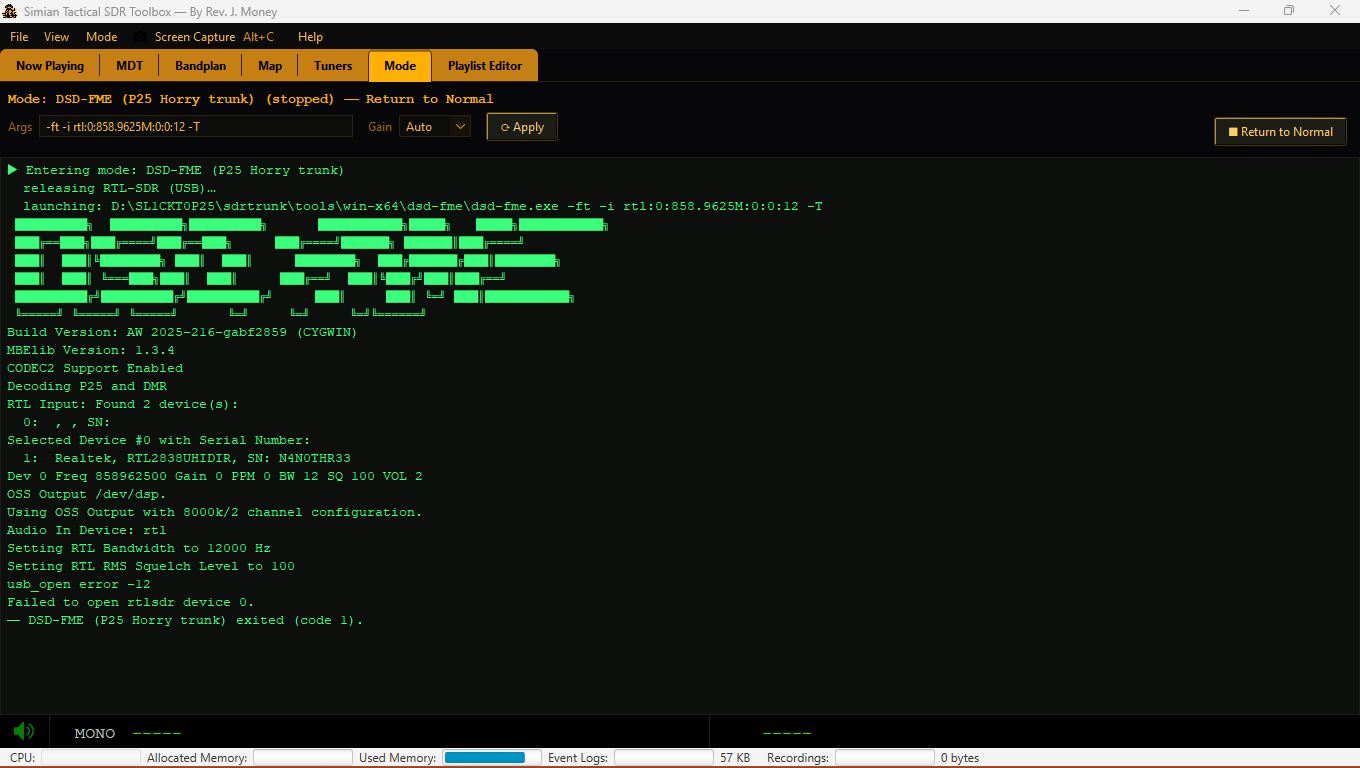
| dsd-fme | DMR digital voice (auto-detect) — set your local frequency in the Args box; also drives the MDT dashboard. | Edit the Args for other systems/ppm. |
| SSTV | “Space fax” — record an ISS/2 m SSTV pass and decode it to an image on the image wall. | Defaults to 145.800 (ISS). |
| noaa-apt | NOAA weather-satellite APT images (137 MHz) via the record→decode flow. | Needs a satellite pass overhead. |
| multimon-ng | POCSAG/FLEX pagers — rtl_fm audio is piped in; decoded pages stream to the console. | Set your local pager Freq. |
| rtl_test / rtl_tcp | Device info / IQ server. | Diagnostics & advanced use. |
Console tools have editable Args — for anything (dsd-fme, dump1090, …) you can edit the full command line in the Mode tab and hit Apply. Frequency-driven decoders show a Gain and (for piped tools) a Freq box.
Getting Started
- Plug in your RTL-SDR; select it under View ▸ Tuners.
- Open the Playlist Editor tab and load or import a playlist (View ▸ Import RadioReference CSV).
- Start your P25 control channel — calls light up the MDT tab.
- Explore the Mode menu: rtl_fm for radio, AIS-catcher for boats, ADS-B for planes, SSTV for space fax.
- Return to Mode ▸ Normal any time to give the dongle back to sdrtrunk.
Gallery